Skip to content
Krea 2 logoKrea 2

Tool · Prompt planning

Krea 2 Prompt Generator for Better AI Image Prompts

Use this Krea 2 prompt generator to name the subject that must survive the render, then direct the setting, camera, light, medium, and palette in one copy-ready image prompt.

  • 50 welcome credits after sign-up
  • No card required
  • Medium Turbo / Medium / Large

Start with a preset

Start with a preset

Creative brief

1 / 3

Subject & action

Setting & background

Visual direction4 Control groups

Camera & composition

Camera & composition

Lighting

Lighting

Medium & texture

Medium & texture

Palette & mood

Palette & mood
Output4:3 · Medium

Aspect ratio

Aspect ratio

Rendering speed

Rendering speed

Prompt ready

4:3 · Medium

How the Krea 2 prompt builder works

Three steps from a blank field to a finished, art-directed image.

  1. Describe the subject

    Type one specific subject with a telling detail — the color, the finish, the label. The builder handles the photography language around it.

  2. Pick a direction

    Tap through the preset chips. Each one swaps a tested prompt fragment, so the wording stays coherent while the look changes.

  3. Generate and refine

    Copy the prompt or open it in the Krea 2 generator with the crop and speed prefilled. Re-roll with one change at a time until it clicks.

Krea 2 prompt examples to start from

Copy these Krea2 prompts as-is, or send one to the generator and replace the subject with your own.

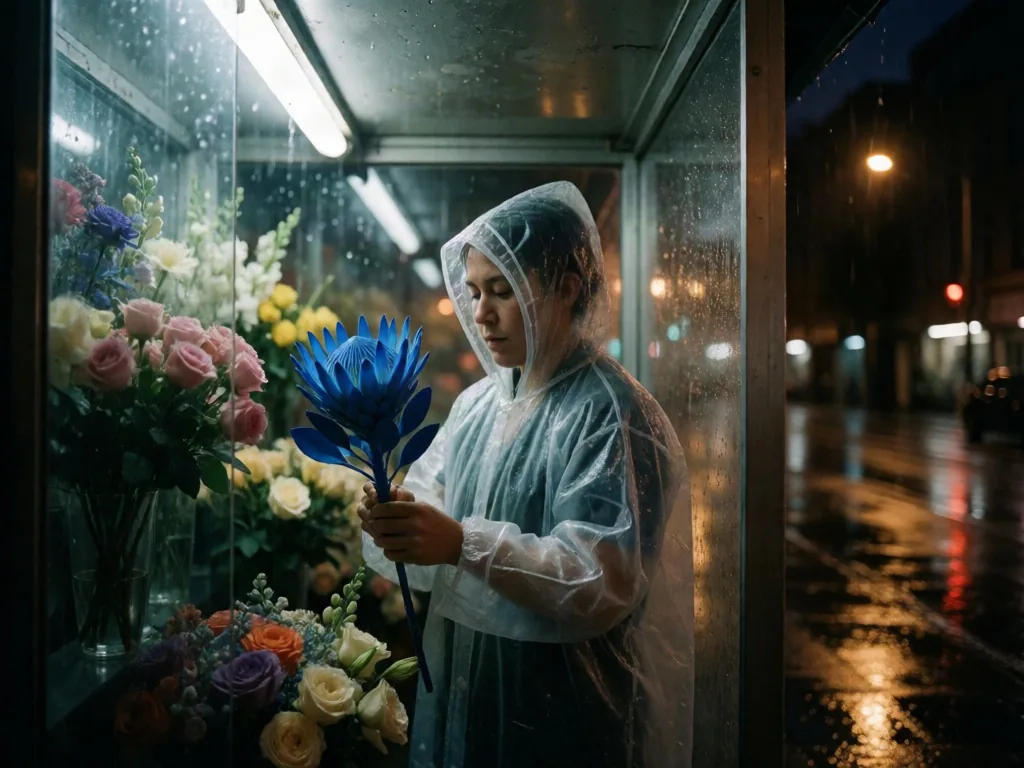
Krea 2 prompt generator example of a midnight florist holding an electric-blue flower in a rainy glass kiosk
4:3Medium

Midnight florist

A cinematic editorial photograph of a night-shift florist in a translucent rain cape arranging one electric-blue protea, inside a narrow glass flower kiosk after rain with wet street reflections outside, close waist-up frame with the camera just below eye level, one hard fluorescent strip overhead, 35mm color negative with visible grain, restrained cyan shadows and amber highlights, clear subject hierarchy, intentional composition, coherent visual direction, no text, no logo
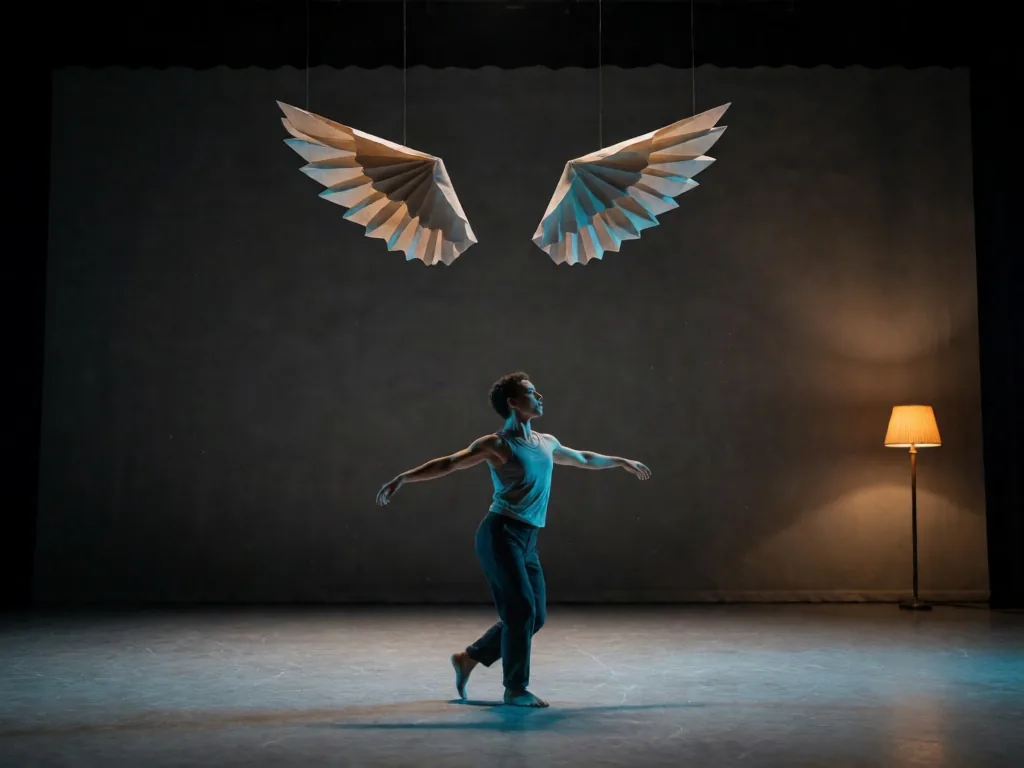
Dancer turning beneath folded-paper wings on a dark rehearsal stage
4:3Medium

Paper-wing dancer

A contemporary dancer turning beneath suspended folded-paper wings on an empty rehearsal stage, wide establishing frame with readable negative space, cyan rim light and one warm floor lamp, cinematic still with drifting chalk dust, charcoal gray and oxidized orange palette, expressive motion without blur, clear subject hierarchy, intentional composition, no text, no logo

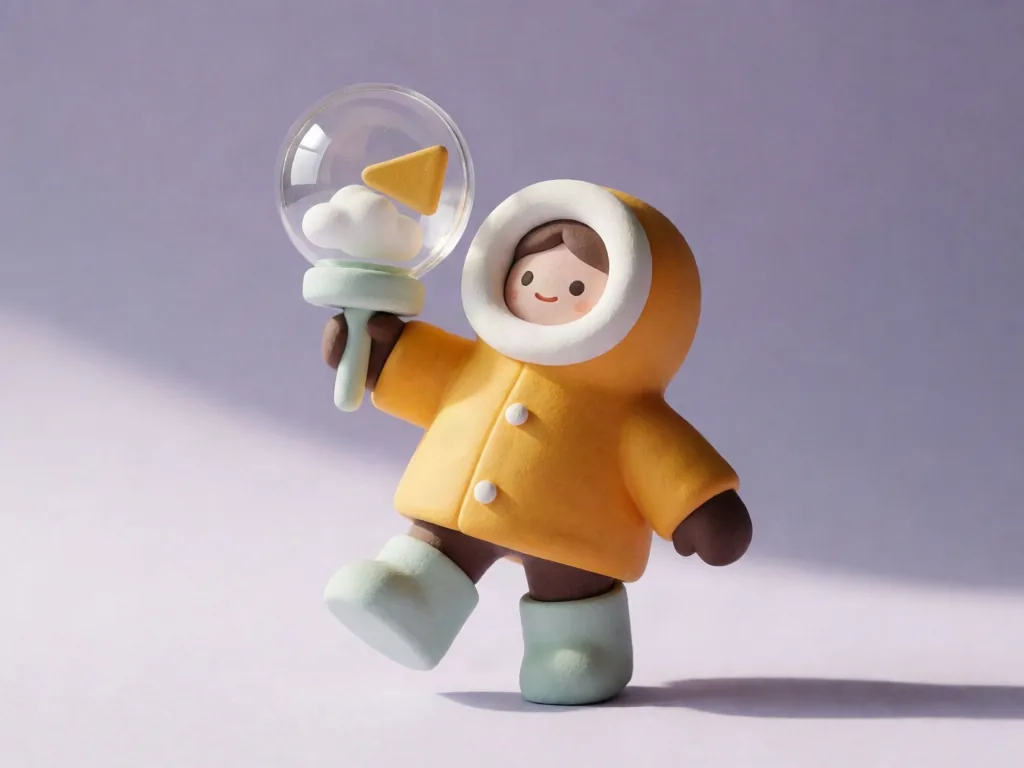
Toy-like ceramic weather scout in a saffron parka carrying a glass wind meter
4:3Medium

Ceramic weather scout

A playful ceramic weather scout in a saffron parka carrying a transparent wind meter, full-body pose inside a miniature cloud observatory, soft directional window light, tactile toy-like 3D render with matte clay surfaces, chalky lilac and pale mint palette, clean negative space, coherent visual direction, no text, no logo
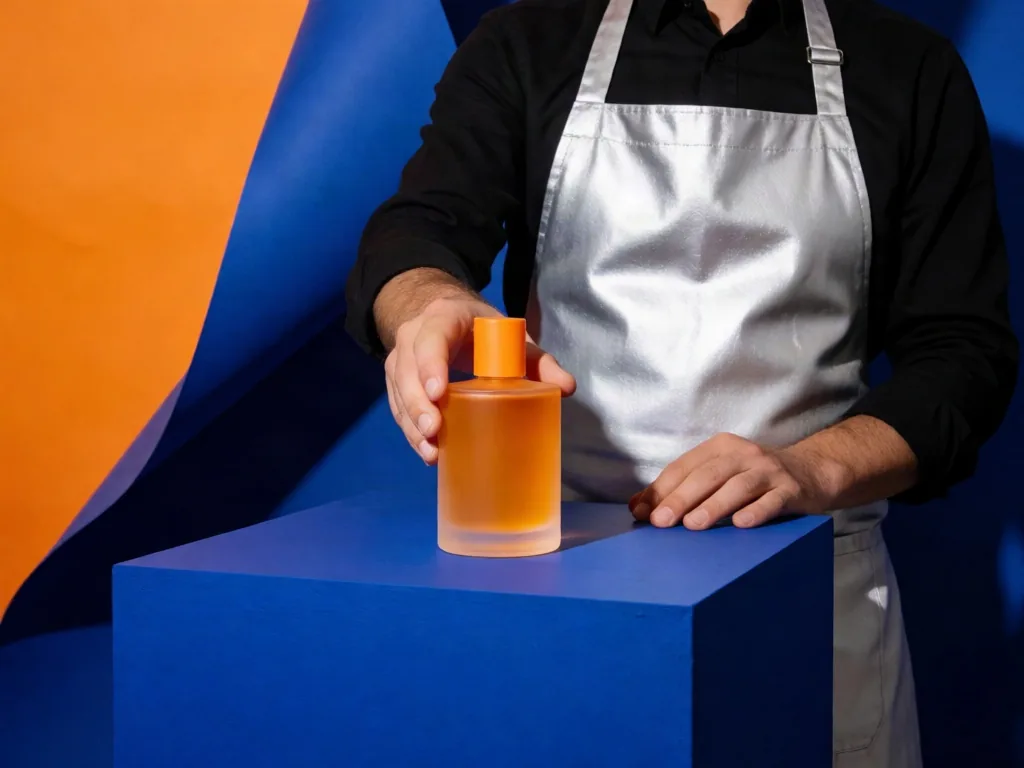
Perfumer in a silver apron presenting an unbranded citrus glass bottle on a cobalt plinth
4:3Medium

Citrus glass campaign

A perfumer in a silver apron presenting a translucent citrus glass bottle on a cobalt plinth, compact studio with a curved paper backdrop, medium shot, direct hard flash with crisp editorial shadows, premium fashion advertising photograph, ultramarine and tangerine high-contrast palette, unbranded bottle with no label, intentional composition, no text, no logo

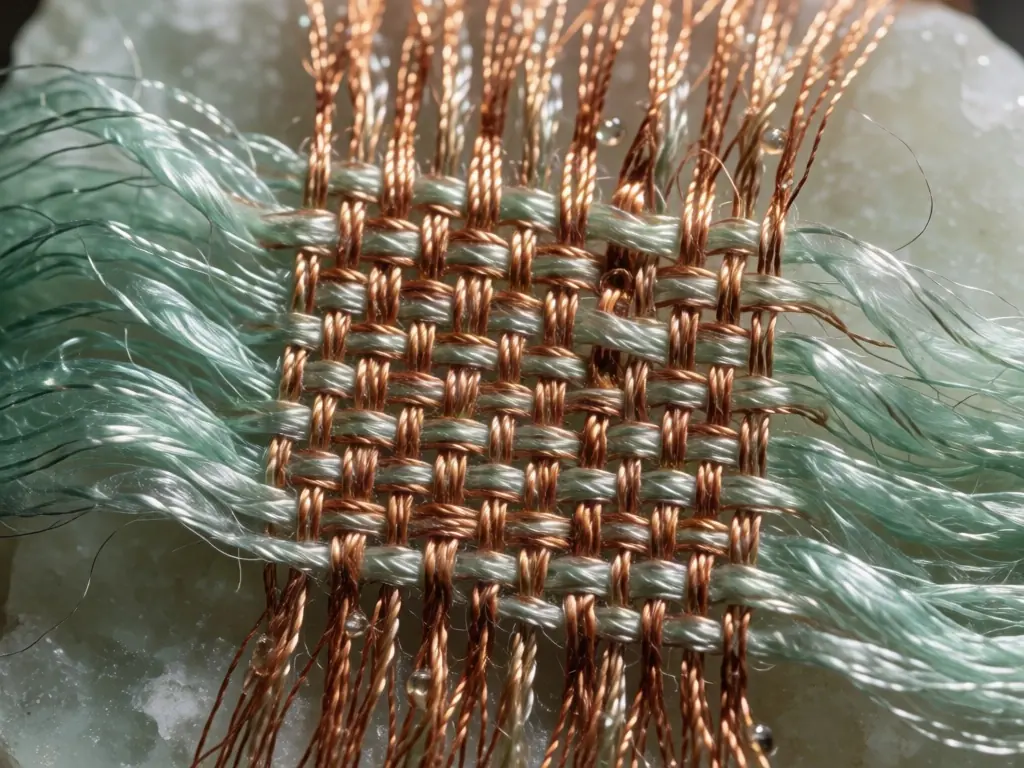
Macro weave of copper threads and translucent sea-green silk with resin droplets
4:3Medium

Copper and silk macro

A macro material study of woven copper threads merging with translucent sea-green silk and tiny droplets of clear resin, grazing side light revealing every fiber, pale mineral backdrop, tactile editorial still life, controlled rust and celadon palette, texture-first composition, no text, no logo

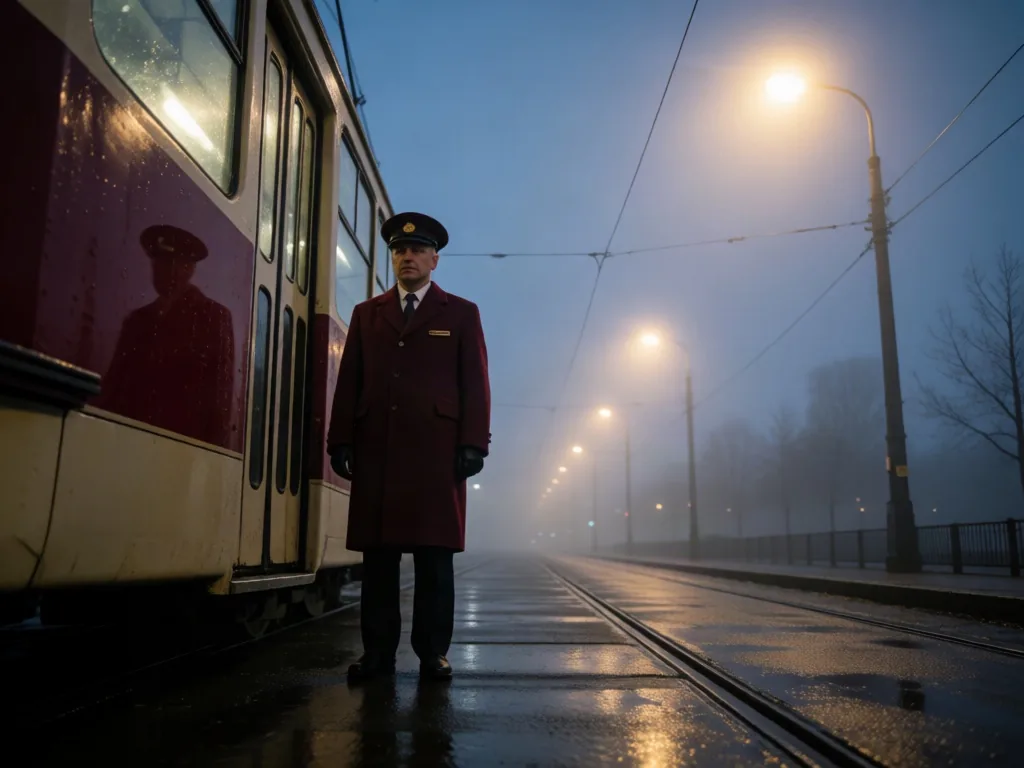
Tram conductor in a burgundy coat standing beside wet rails in blue dawn fog
4:3Medium

Fog tram conductor

An overnight tram conductor in a burgundy coat standing beside a silent tram after rain, low wide-angle viewpoint, sodium streetlight crossing cool dawn fog, cinematic 35mm still with wet rail reflections and deep atmospheric layers, restrained burgundy and blue-gray palette, no readable signs, no text, no logo

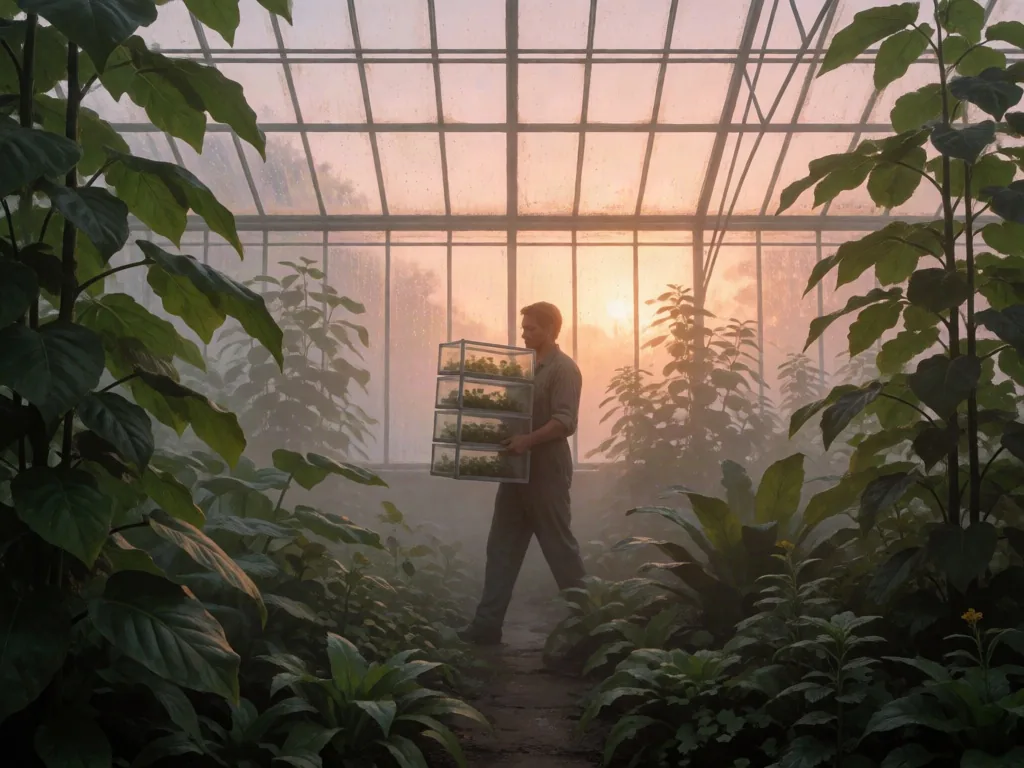
Seed archivist carrying glass specimen drawers through a misty greenhouse at sunrise
4:3Medium

Seed archivist greenhouse

A seed archivist carrying glass specimen drawers through a vast greenhouse at first light, full-body figure small within the environment, warm backlight through condensation, painterly realism with detailed leaves and mist, moss green and apricot palette, clear foreground middle ground and background, no text, no logo

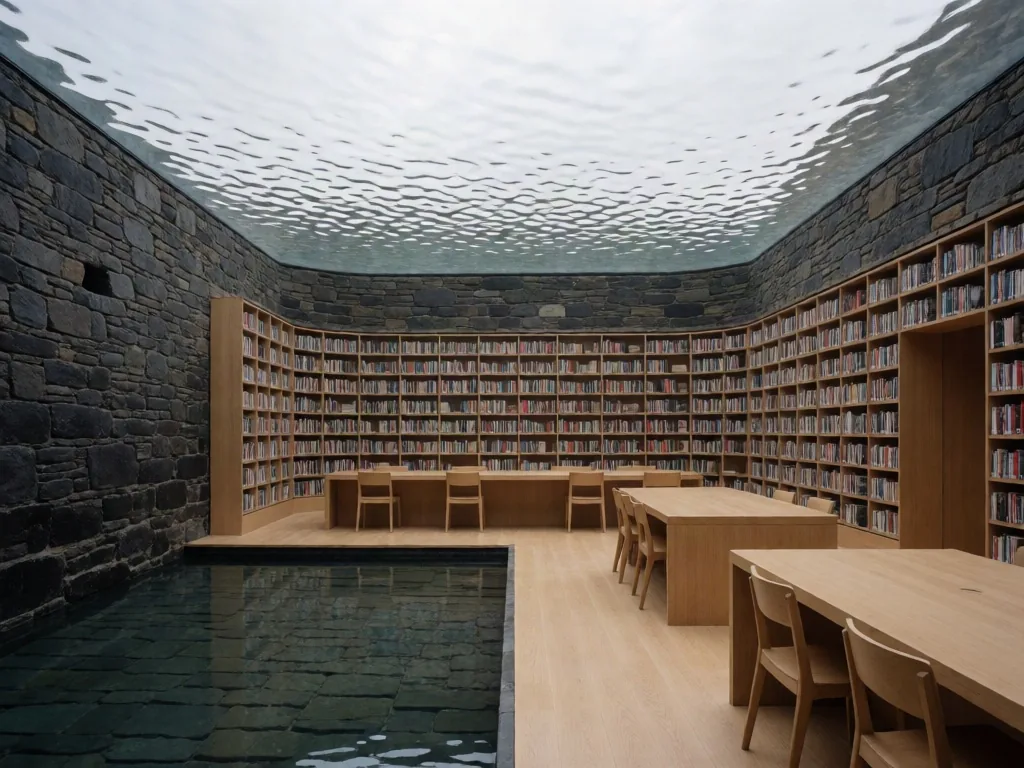
Stone tidal research library with curved bookshelves, pale oak desks, and an indoor reflecting pool
4:3Medium

Tidal research library

An interior architectural photograph of a tidal research library carved into a dark stone seawall, floor-to-ceiling bookshelves following a curved wall, pale oak reading desks surrounding a shallow indoor reflecting pool, wide 4:3 view, soft overcast skylight with silver sea reflections moving across the ceiling, graphite stone and pale oak palette, calm negative space, no people, no text, no logo

Build a Krea 2 prompt in six layers

Give each layer one visual job so the prompt stays editable and every iteration teaches you what changed.

01

Subject

State the person, object, and action that must survive every style choice.

02

Setting

Name the place, background, and physical details the frame can show.

03

Camera

Set distance, viewpoint, composition, and negative space.

04

Light

Describe source direction, hardness, color temperature, and reflections.

05

Medium

Choose a photographic, film, print, painted, or rendered surface.

06

Palette

Finish with color relationships and one coherent emotional direction.

Examples built from structured Krea 2 prompts

Real Krea 2 outputs. Open one to inspect the prompt, copy the wording, or send it straight into the generator.

Krea 2 prompts for portraits, products, and scenes

Use the same six-layer structure across jobs, then replace only the subject and production choices that need to change.

Portraits and full-body frames

Control subject distance, crop, light, and skin texture so every portrait does not collapse into the same medium shot.

Product and brand images

Lock material, surface, light, and palette so a series keeps one art direction.

Cinematic scenes

Use viewpoint, one motivated light source, atmosphere, and a restrained palette to build depth.

Multi-character compositions

Describe each person’s position, action, and appearance, then establish a clear foreground and background.

Photoreal image prompts

Lead with lens behavior, light, and visible materials instead of stacking generic quality adjectives.

Choose Medium Turbo, Medium, or Large

Keep exploration inexpensive, then carry the same prompt into a higher-detail tier after the direction is settled.

5 credits

Medium Turbo

Test the subject, composition, crop, and palette quickly.

10 credits

Medium

The balanced default for everyday finished creative work.

15 credits

Large

Use for final frames that depend on finer material and lighting detail.

Prompt tips for sharper images

Small wording changes move the Krea 2 result more than re-rolling ever will.

  • Lock the subject first, then change camera, light, or medium one variable at a time.
  • Replace vague style labels with visible choices such as lens position, material, and light direction.
  • For a full-body frame, state subject distance, head-to-toe framing, and a portrait-friendly crop together.
  • For photorealism, specify light, lens behavior, and materials before adding quality language.
  • Krea 2 has no separate negative-prompt field here; keep exclusions short and necessary.
  • Save the winning prompt together with its aspect ratio and model tier so the result is reproducible.

Krea 2 prompt generator FAQ

What is a Krea 2 prompt generator?

It combines subject, setting, camera, light, medium, and palette choices into one structured image prompt and hands the result to the Krea 2 generator.

How should a Krea 2 prompt be structured?

Lead with the required subject and action, then add setting, composition, light, medium, and palette. Put non-negotiable details before optional style language.

Is this Krea 2 prompt generator free?

Building, previewing, and copying a prompt costs nothing. Image generation uses the selected tier, and new accounts start with 50 welcome credits.

Can it create photorealistic prompts?

Yes. Choose a photographic medium and specify light, lens behavior, materials, and natural texture instead of repeating generic quality words.

How do I control camera angle?

Name shot distance, camera height, viewing direction, and subject scale together—for example, a low wide-angle full-body frame.

How do I get a full-body or wide shot?

Choose Full body or Wide establishing and say that the person is visible head to toe with the camera farther from the subject.

Does Krea 2 have a separate negative-prompt field?

Not in this workflow. Keep exclusions short and concrete so they do not compete with the main subject and art direction.

Which Krea 2 tier should I choose?

Use Medium Turbo for exploration, Medium for balanced everyday work, and Large for final passes where texture and detail matter most.

Can I copy and edit the generated prompt?

Yes. The preview is plain text that you can copy, edit, or continue refining after it opens in the image generator.

Does this page generate the final image?

This page builds the prompt. Use in Generator carries the prompt, aspect ratio, and model tier into the live image generator.

Turn the prompt into a finished image

Open the Krea 2 generator and render your first image in seconds. 50 free credits on signup, no card required.