1:1Medium
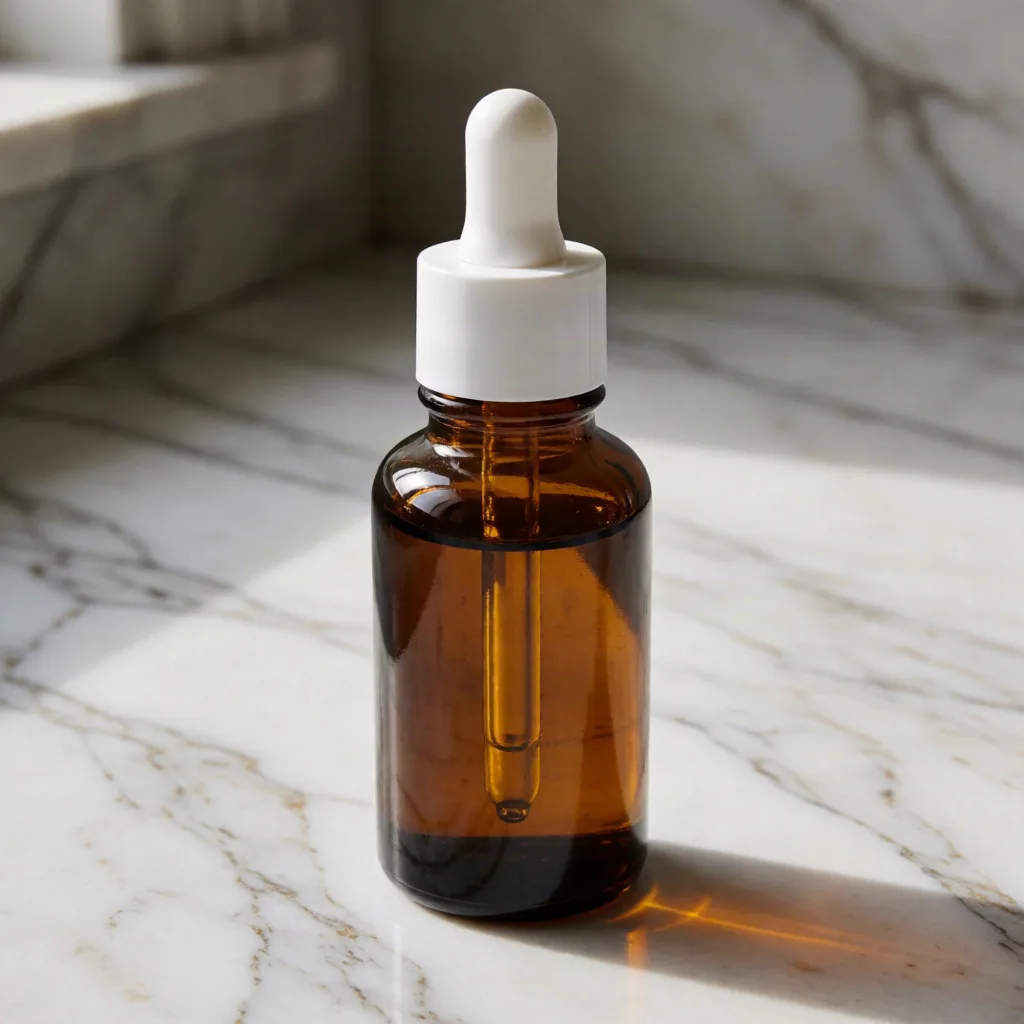
アンバーガラスの美容液ボトル
商品撮影: 白いピペットキャップ付きのアンバーガラス製セラムボトル。素材: くっきりとした反射と屈折を持つ光沢ガラス。背景: 白い筋模様の入った大理石のカウンタートップ。照明: 柔らかな指向性の窓光。アートディレクション: ミニマルでクリーン。カメラ: 浅い被写界深度の45度ヒーローアングル。 高精細、フォトリアリスティック、エディトリアル商業写真。
 Krea 2
ツール · プロダクト&ブランドビジュアル
商品を一度書き、素材・表面・光・ムード・カメラを選ぶだけ。ビルダーが構造化された Krea 2 商品撮影プロンプトを組み立てます。コピーも、クロップと速度をセットしたままジェネレーターで開くこともできます。
商品
素材
表面
照明
ムード
カメラ
アスペクト比
レンダリング速度
プロンプト準備完了
1:1 · Medium
空欄からアートディレクション済みの画像まで、3 ステップ。
色・質感・ラベルなど、具体的な一点を入れて被写体を書いてください。写真言語はビルダーが補います。
プリセットチップをタップ。検証済みの断片が入れ替わり、ルックを変えつつ文言の整合を保ちます。
プロンプトをコピーするか、クロップと速度を埋めた状態で Krea 2 ジェネレーターを開く。1 変更ずつ再生成します。
そのままコピーするか、Krea 2 ジェネレーターに送って被写体だけ入れ替え。
商品撮影: 白いピペットキャップ付きのアンバーガラス製セラムボトル。素材: くっきりとした反射と屈折を持つ光沢ガラス。背景: 白い筋模様の入った大理石のカウンタートップ。照明: 柔らかな指向性の窓光。アートディレクション: ミニマルでクリーン。カメラ: 浅い被写界深度の45度ヒーローアングル。 高精細、フォトリアリスティック、エディトリアル商業写真。
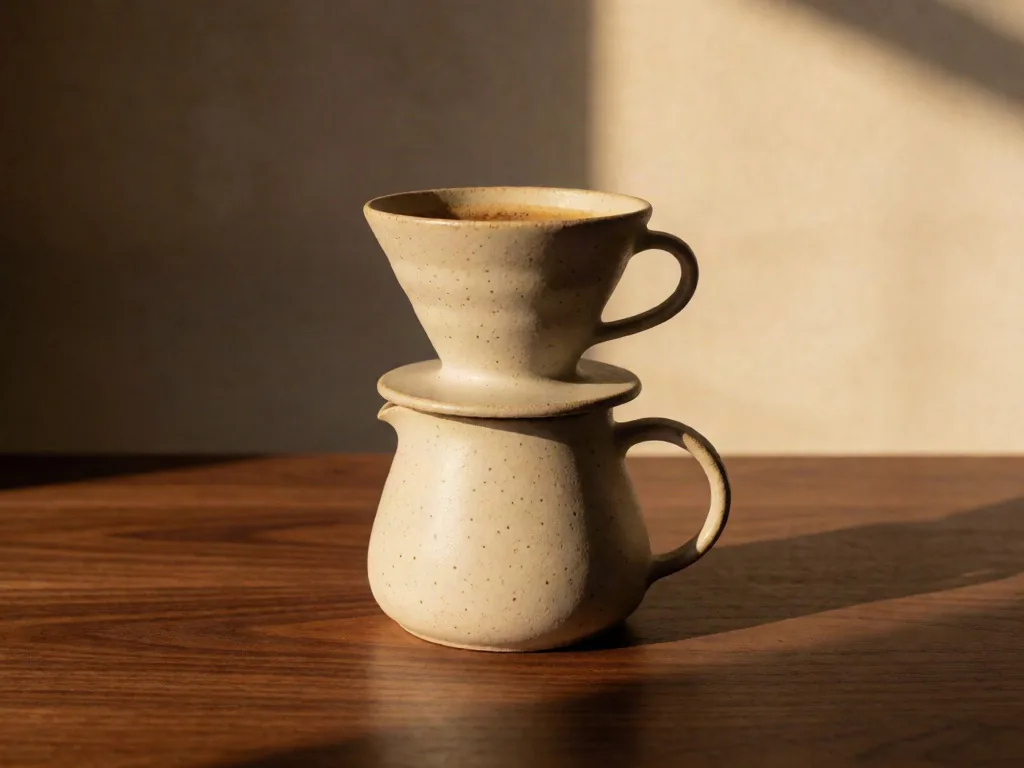
商品撮影: 斑点模様の陶土で作った手仕事のドリップコーヒーセット。素材: 柔らかなエッグシェル仕上げのマットセラミック。背景: 温かみのあるウォールナット材のテーブルトップ。照明: シーンを横切る温かなゴールデンアワーの光。アートディレクション: 温かみがありオーガニック。カメラ: アイレベルの真正面からのコンポジション。 高精細、フォトリアリスティック、エディトリアル商業写真。
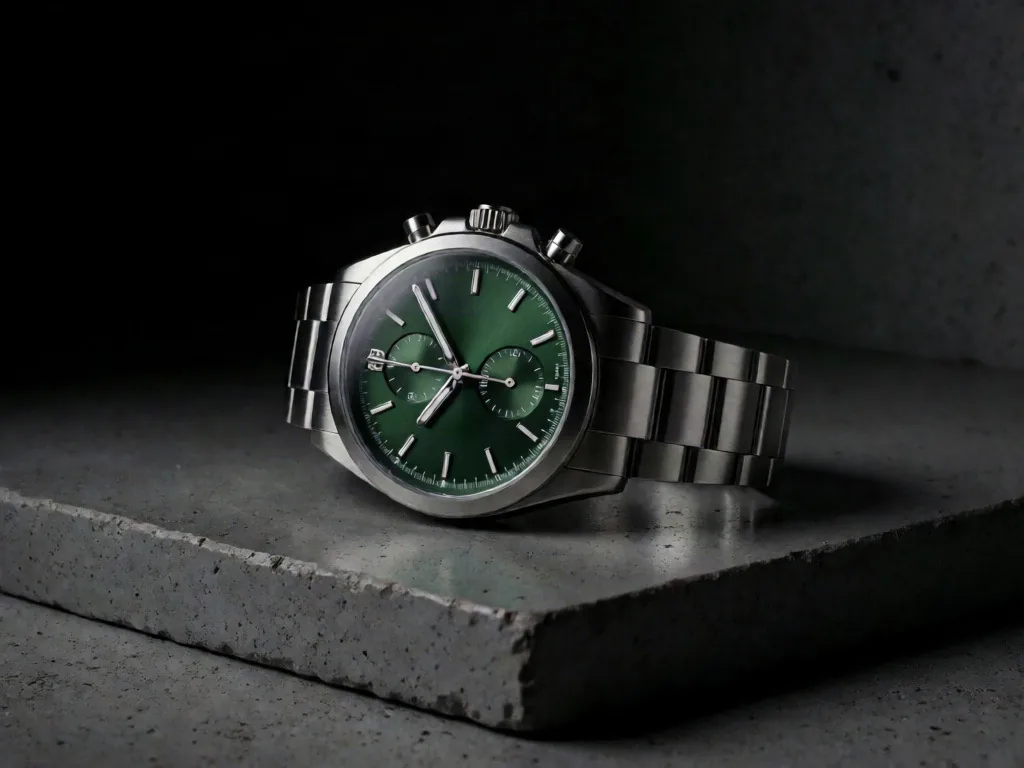
商品撮影: 深いグリーンダイアルのブラッシュドスチール製クロノグラフウォッチ。素材: 細かな方向性ハイライトを持つブラッシュドメタル。背景: 磨かれたコンクリートスラブ。照明: 深いシャドウを持つドラマチックなローキー照明。アートディレクション: プレミアム・エディトリアル。カメラ: 主要ディテールのマクロクローズアップ。 高精細、フォトリアリスティック、エディトリアル商業写真。
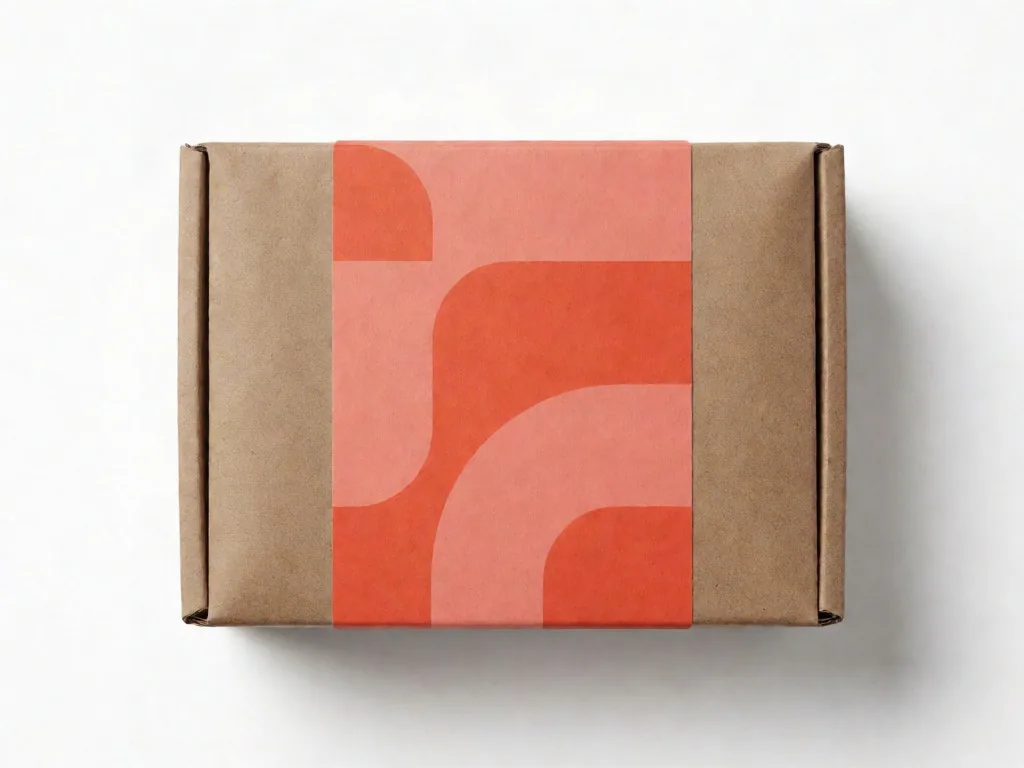
商品撮影: コーラルラベル付きのクラフトボックス入りシングルオリジン・エスプレッソ豆。素材: コーティングなしの紙とクラフトボール紙のテクスチャ。背景: 白いシームレス・スタジオスウィープ。照明: クリーンなスタジオ・ソフトボックス照明。アートディレクション: 大胆で鮮やか。カメラ: 真上からのフラットレイフレーミング。 高精細、フォトリアリスティック、エディトリアル商業写真。
有効な商品写真プロンプトは、被写体とその周辺のアートディレクションを切り離して設計します。Krea 2の商品撮影プロンプトジェネレーターでは、素材・ステージング・照明・フレーミングをそれぞれ独立した要素として定義できるため、ポストプロダクションでタイポグラフィ・ロゴ・法規制コピーなどのブランド上重要な詳細を調整する前に、ビジュアルの方向性を比較検討できます。
まずは全体のフォルムから記述してください。円筒形のドロッパーボトル、広口のアポセカリージャー、スリムな折り畳みカートン、スタンドアップパウチなど、シルエット・キャップの形状・際立った特徴を一つ挙げてから、ラベルコピーに移りましょう。ブランドのタイポグラフィ・法規制テキスト・正確なパッケージ寸法が重要な場合は、別途確認するか、本番用デザインツールで承認済みアートワークを合成してください。
色だけでなく、素材が光にどう反応するかを記述してください。フロストガラスはハイライトを拡散させ、ブラッシュドアルミニウムには方向性のあるグレインが必要で、コーティングなしのボール紙は繊維感とソフトなエッジが効果的です。細かなテクスチャは生成ごとに変化することがあるため、結果は製造された素材の証明としてではなく、仕上げの方向性リファレンスとして扱ってください。
商品ストーリーを引き立て、視線を奪わないサーフェスを選びましょう。磨かれた石やコンクリートは精密でプレミアムな印象を与え、リネンや天然木はより温かくハンドメイドな雰囲気を演出します。プロップは控えめにし、明確な接地面を設定して、マーケットプレイスのサムネイルサイズでもヒーローアイテムが際立つ十分なコントラストを確保してください。
具体的な照明の関係性を定義してください。グラデーションのあるハイライトのための大型ディフューズドソフトボックス、分離感を出すためのナローリムライト、ダークなキャンペーン向けのローキーオーバーヘッドライトなどです。曲面ガラスや金属は不整合な合成反射が生じやすいため、生成されたフレームを完成クリエイティブとして使用する前に、エッジ・キャップの境界・鏡面のディテールを丁寧に確認してください。
レンズとカメラの言語を使って、正確な光学仕様を約束するのではなく、パースペクティブを導いてください。アイレベル85mmの商品アングルは圧縮感とクリーンな垂直線を示唆し、真上からのフレームはフラットレイに適し、マクロクロップは仕上げとディテールを強調します。生成されたマージンは数学的に正確でなく後続のトリミングが必要になる場合があるため、余裕のあるネガティブスペースを要求してください。
商品ファミリーでは、アイテムの説明だけを変えながら、同じパレット・色温度・サーフェス・シャドウの柔らかさ・被写界深度の表現を繰り返し使用してください。これらのガードレールにより大きなスタイルの跳躍が起きにくくなりますが、あらゆるアングルから同一の商品ジオメトリを強制することはできません。キャンペーンセットとして組み上げる前に、各結果の連続性をレビューしてください。
構造化プロンプトはチームがステージング・仕上げ・キャンペーンの方向性を比較する初期段階で最も有効です。CAD・承認済みパックショット・最終写真・レタッチの代替にはなりません。ビジュアルの選択を具体化し、変更内容を記録し、どの方向性に本番用アセットが必要かを判断するために活用してください。
背景・カメラの高さ・クロップ・照明を固定し、商品の説明だけを変えることで、統一感のあるカタロググリッドを探索できます。複数のSKUがECページ上でどのように並ぶかをプレビューするのに役立ちます。ライブのマーケットプレイス掲載では、プロポーション・読みやすいパッケージの詳細・商品精度を確認するか、必要に応じて承認済みパックショットを合成してください。
環境・プロップスタイリング・パレット・アクセントライトを変えることで、ニュートラルなパックショットをキャンペーンコンセプトに転換できます。プロンプト全体を書き直すことなく、大理石のカウンター・抽象的なポジウム・バスルームの棚・屋外の朝の光などを比較しましょう。最終的なプロモーションクリエイティブには、選択した背景の方向性に承認済み商品アートワークとベクターロゴの合成が必要になる場合があります。
同じ容器の説明を使いながら、フロストガラス・アンバーティント・サテンラベル・ホイルアクセントなど、色・素材・仕上げのアイデアを比較できます。これらの画像はプロトタイプが届く前の社内レビューをより具体的にするために活用できます。構造的なダイラインや色校正、また正確なタイポグラフィや法規制情報の信頼できる資料としてはご使用いただけません。
商品とカメラアングルを固定しながら、季節の色温度・サポートサーフェス・控えめなプロップを変えましょう。秋のサイドライト・冷たい冬の反射・明るい夏のハイライトをそれぞれ独立した方向性としてテストしてください。コンセプトが承認されたら、パッケージの精度を損なわずに季節の雰囲気を表現できるよう、検証済みのブランドアセットでバナーを再構築してください。
反復案は制御されたペアで提示してください。カメラアングルの変更一つ、照明の変更一つ、またはサーフェスの変更一つずつです。これにより、クリエイティブのトレードオフが議論しやすくなり、方向性を選んだ理由が記録されます。生成されたフレームはビジュアル方向性のドラフトとしてラベルを付け、最終的に写真撮影・レタッチ・合成・再制作が必要な内容をクライアントが理解できるようにしてください。
文言の小さな変更は、ただ再ロールするより Krea 2 の結果を動かします。
あなたが選んだ内容(商品説明、素材、表面、照明、ムード、カメラ)から構造化された商品撮影プロンプトを組み立て、クロップと速度をあらかじめ設定した状態で Krea 2 ジェネレーターに渡します。描画前にどの語句も編集できます。
はい。ビルダーは無料で、Krea 2 の AI 画像ジェネレーターはサインアップ時に 10 無料クレジットを無料で付与します。カード不要。各画像は生成前にクレジット消費量を表示します。
商用利用はプランと利用規約によります。クライアント案件、パッケージ、広告に Krea 2 画像を出す前に、料金ページと利用規約を確認してください。
ボトル、箱、デバイス、食器など、輪郭がはっきりした硬い被写体が最も安定します。仕上げと一つだけ区別できるディテールを書き、スタイリングは素材と照明の選択に任せましょう。


