콘텐츠로 건너뛰기

Open weights · Krea 2 Turbo

Krea 2 Turbo Online: Krea's Open-Weights Model in 8 Steps

Krea 2 Turbo is the open checkpoint of Krea 2, distilled to 8 steps for fast, aesthetic images. Run Krea 2 Turbo here without a GPU or a ComfyUI install: write a prompt, pick 1K or 2K, or add one photo to repaint it. Every Krea 2 Turbo image on this page came from the model itself.

Try Krea 2 Turbo

Text to image

Optional: add one image to repaint it with your prompt.

Ratio
Size
5 credits
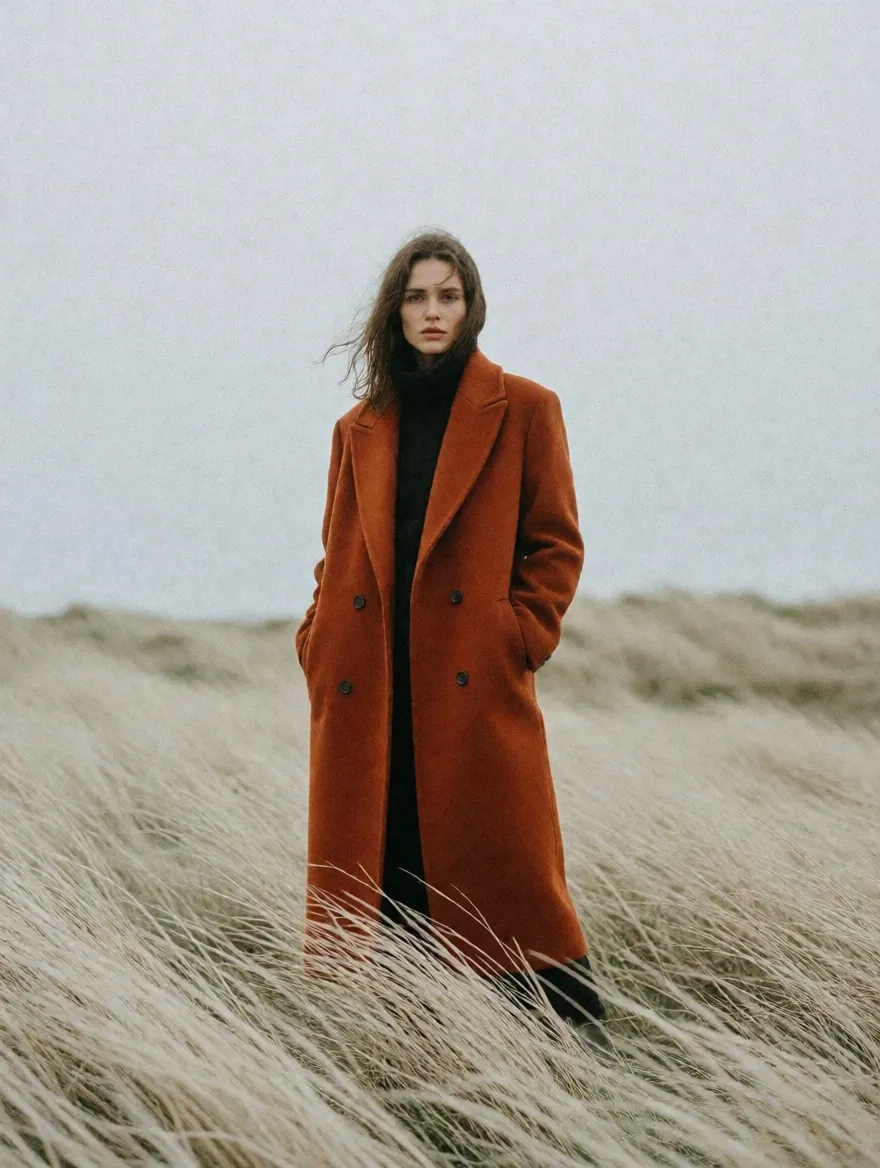
Krea 2 Turbo editorial portrait of a woman in a rust-orange wool coat in a windswept field of pale grass
Editorial portrait
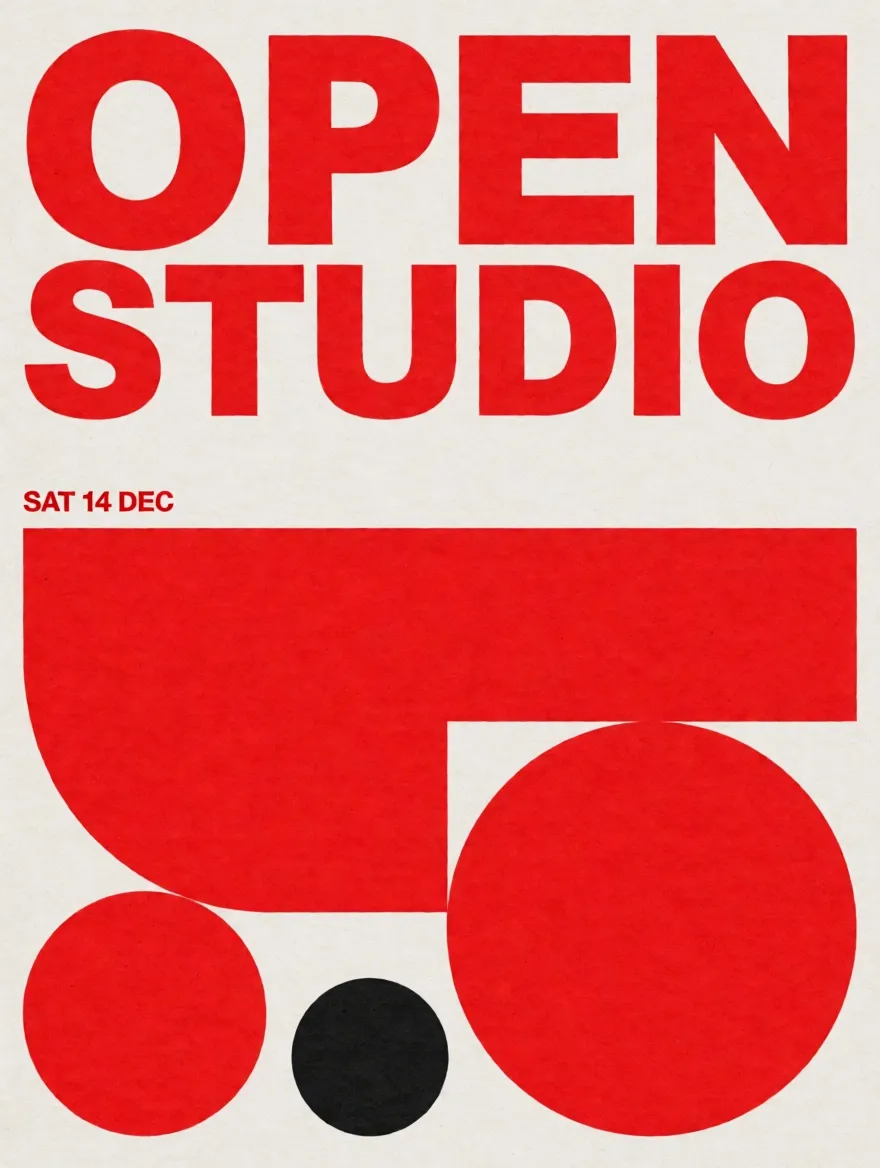
Krea 2 Turbo Swiss style poster with red and black shapes and the words OPEN STUDIO and SAT 14 DEC
Poster with text
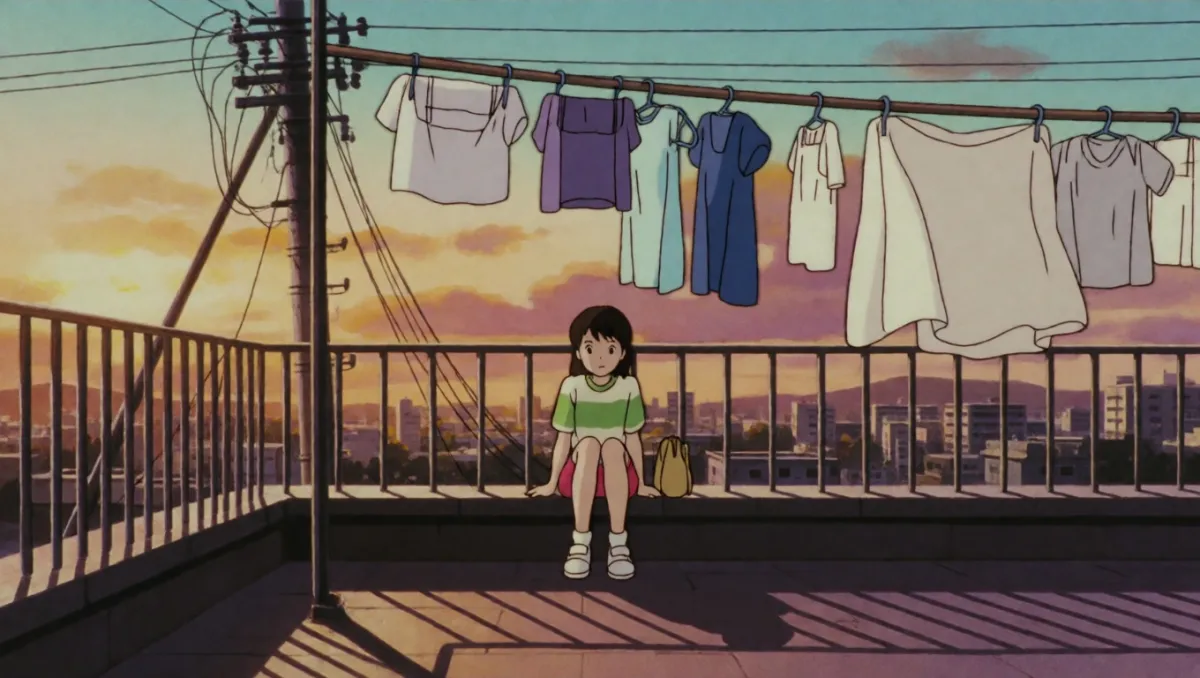
Krea 2 Turbo 90s anime still of a girl on a rooftop at sunset among laundry lines and power cables
90s anime still
See every Krea 2 Turbo example and prompt
  • 5 credits at 1K, 9 at 2K
  • Text to image and image to image
  • New accounts get one free image

What Krea 2 Turbo is

Krea released Krea 2 as open weights on June 22, 2026, in two checkpoints. Krea 2 Raw is the undistilled base model for fine-tuning and LoRA training. Krea 2 Turbo is post-trained and distilled so it renders in 8 steps with no guidance scale to tune. The Krea 2 Turbo on this site runs on WaveSpeed's hosted copy of the open checkpoint.

Developer
Krea (Krea.ai, Inc.)
Released
June 22, 2026, as open weights on Hugging Face; technical report on June 23, 2026
Checkpoints
Krea 2 Raw (base, for fine-tuning and LoRAs) and Krea 2 Turbo (8-step, for generation)
Architecture
12B dense diffusion transformer with a Qwen Image VAE and a Qwen3-VL text encoder
Steps
8, guidance distilled (CFG 0 in the official examples)
License
Krea 2 Community License; the Hugging Face download is gated behind it
On this site
Text to image at 1K (about 1 MP) or 2K (about 4 MP) in 7 ratios, or image to image from one source photo
Price here
5 credits per 1K image, 9 per 2K image

Krea 2 Turbo examples with the exact prompts

Nine Krea 2 Turbo runs from November 15, 2026, eight at 1K and one at 2K. Each card shows the prompt exactly as sent and what came back, including the parts that missed. Use it loads the prompt and ratio into the generator with Krea 2 Turbo selected. End to end, the 1K runs took 6 to 28 seconds including the queue, and the 2K run about 40.

Krea 2 Turbo editorial portrait of a woman in a rust-orange wool coat in a windswept field of pale grass

Editorial portrait

Krea 2 Turbo prompt

Editorial fashion portrait of a woman in a rust-orange wool coat standing in a windswept field of pale grass, overcast sky, 35mm film grain, muted earthy palette

The film grain and the muted palette came through without any extra style words.
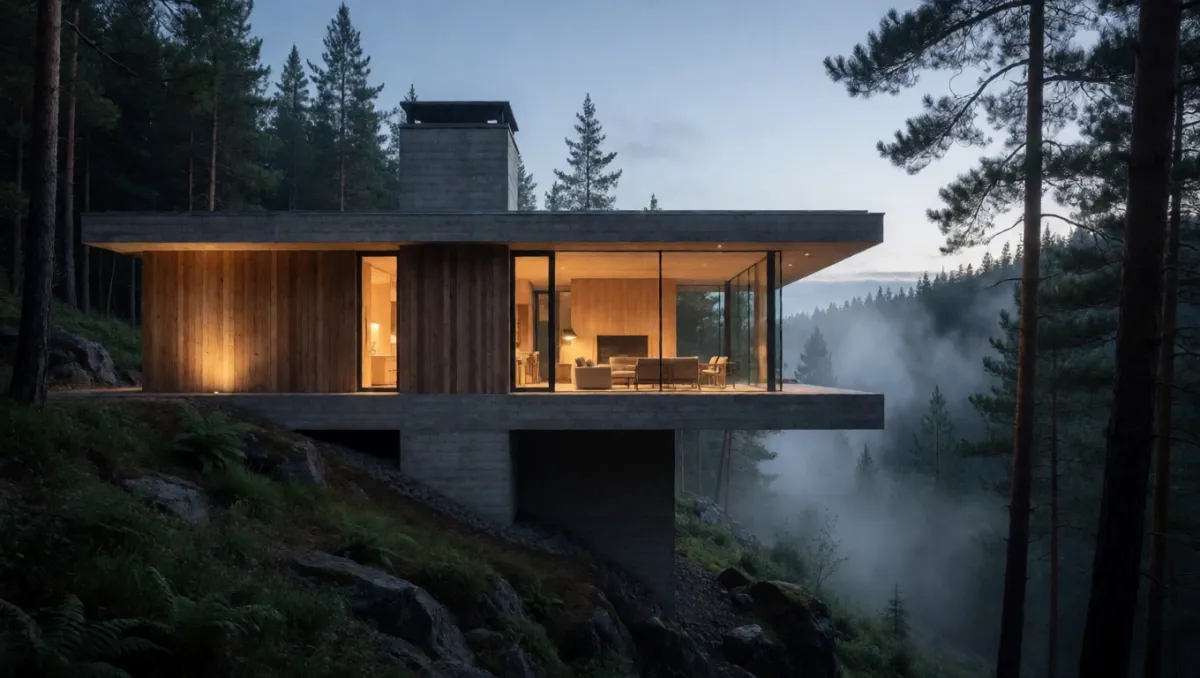
Krea 2 Turbo architectural photo of a concrete and timber house cantilevered over a misty forest ravine at dusk

Architecture at dusk

Krea 2 Turbo prompt

Concrete and timber house cantilevered over a forest ravine at dusk, warm interior light through floor-to-ceiling glass, mist drifting between tall pines, architectural photography

The cantilever, the warm glass and the mist between the pines are all where the prompt put them.

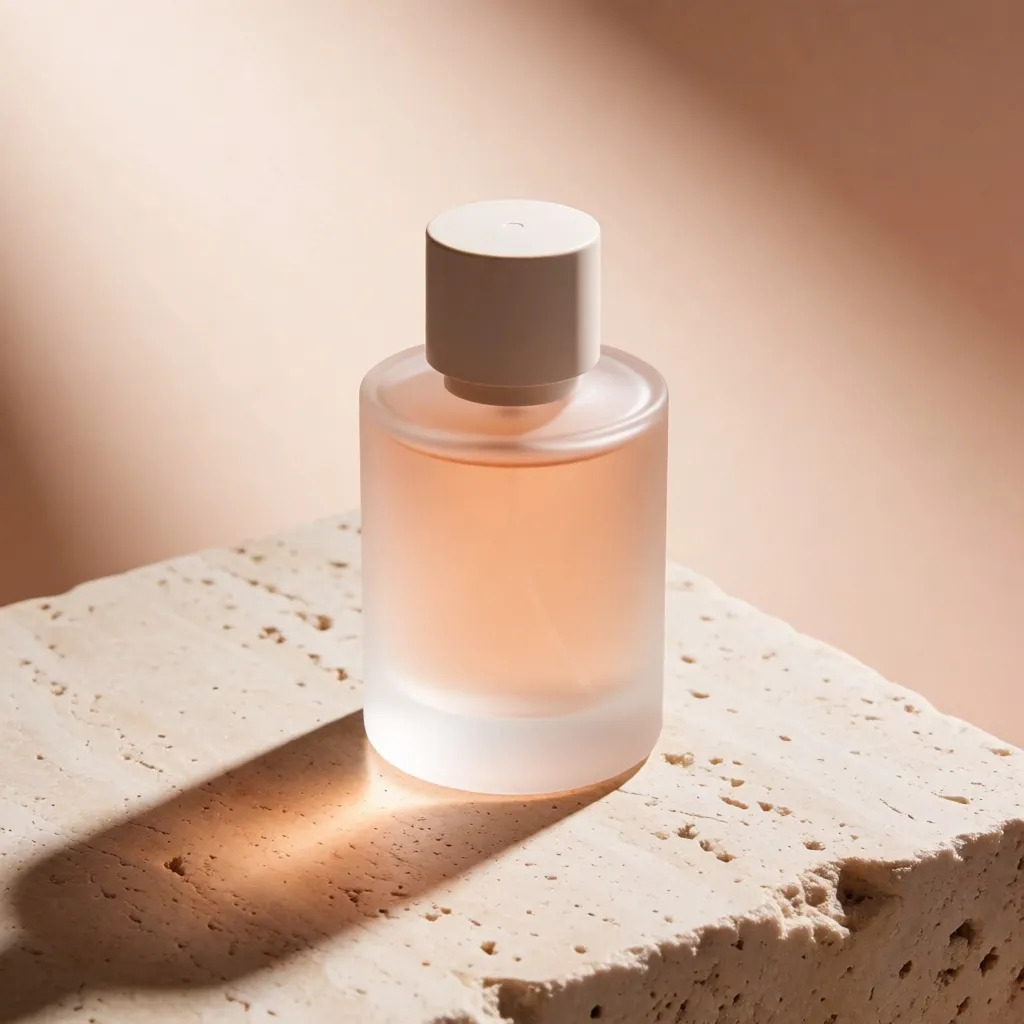
Krea 2 Turbo product photo of a frosted glass perfume bottle on a travertine block with a long shadow

Product shot

Krea 2 Turbo prompt

Studio product photo of a frosted glass perfume bottle on a pale travertine block, single hard light from the left casting a long shadow, peach and sand palette, no text, no logo

No text or logo appeared on the bottle, and the shadow falls away from the light on the left.

Krea 2 Turbo Swiss style poster with red and black shapes and the words OPEN STUDIO and SAT 14 DEC

Poster with text

Text

Krea 2 Turbo prompt

Swiss style poster with bold red and black geometric shapes on off-white paper, the words "OPEN STUDIO" set large in a heavy sans-serif at the top, small date line "SAT 14 DEC" below, visible paper grain

Both lines of English text are spelled correctly. Keep the wording short and in quotes.

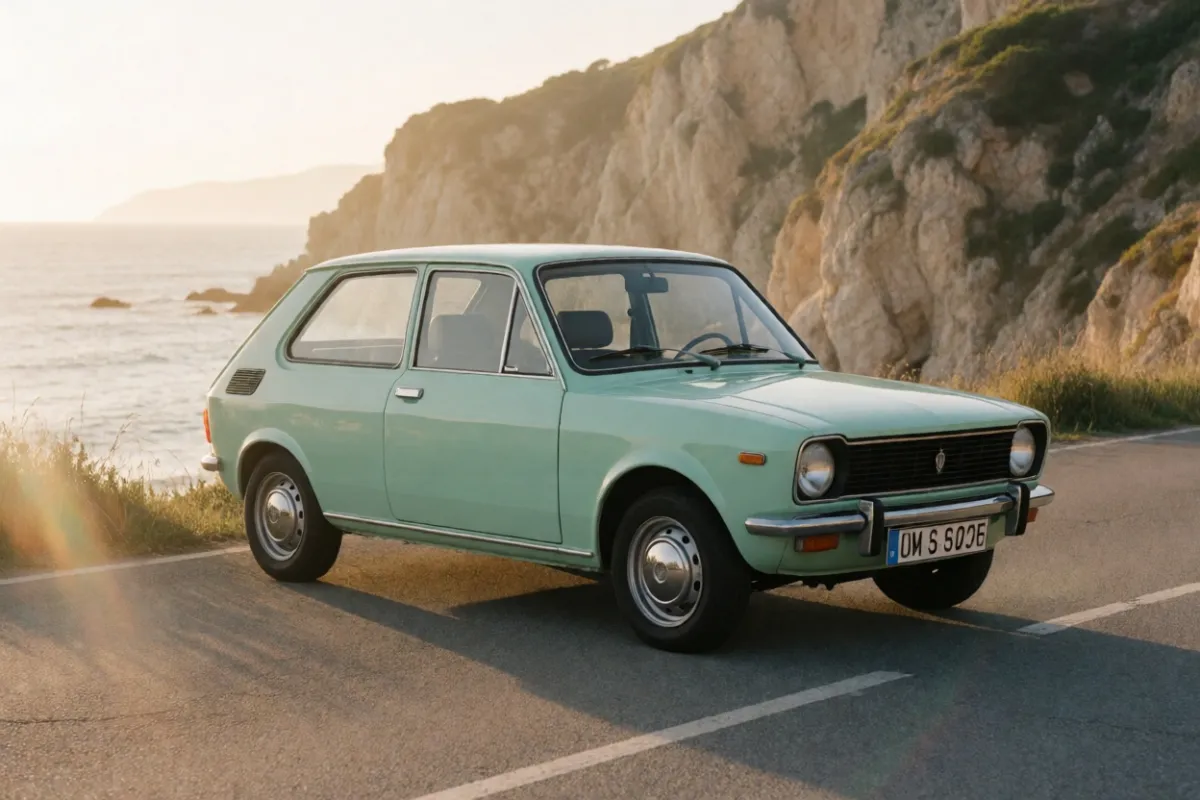
Krea 2 Turbo photo of a mint green 1970s hatchback on a coastal road at golden hour

Editorial car photo

Krea 2 Turbo prompt

A mint green 1970s hatchback parked on a coastal road at golden hour, sea cliffs behind, soft lens flare, editorial car photography, no badges, blank license plate

The badges stayed off, but the plate still shows made-up characters. Crop or run it again if that matters.

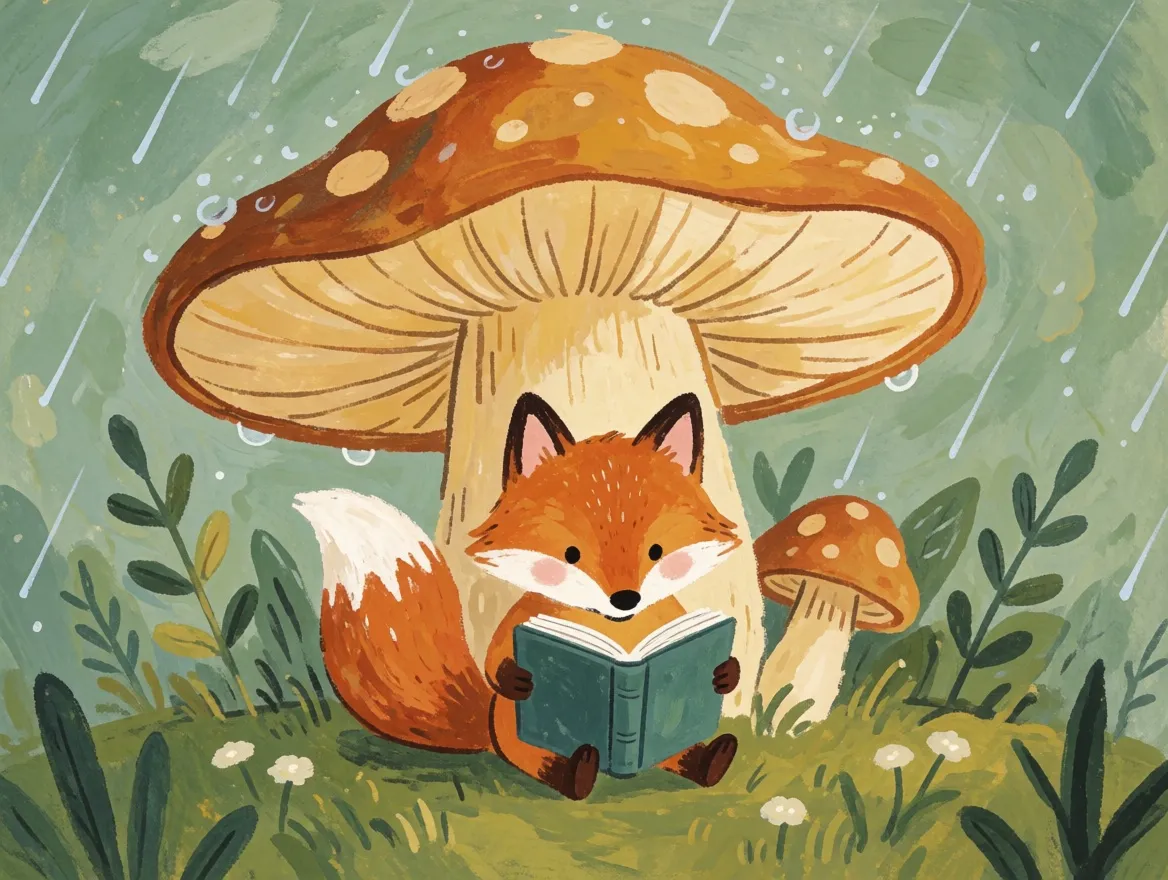
Krea 2 Turbo children's book illustration of a fox reading under a giant mushroom in the rain, gouache texture

Picture book illustration

Krea 2 Turbo prompt

Children's book illustration of a small fox reading a book under a giant mushroom in the rain, gouache texture, soft greens and ochres, cozy mood

Naming the medium (gouache) was enough to get flat, painted texture instead of a 3D look.

Krea 2 Turbo 90s anime still of a girl on a rooftop at sunset among laundry lines and power cables

90s anime still

Krea 2 Turbo prompt

90s anime film still of a girl sitting on a rooftop at sunset among laundry lines and power cables, cel shading, warm summer haze, distant city

Cel shading, the laundry lines and the power cables all read as a hand-drawn film frame.

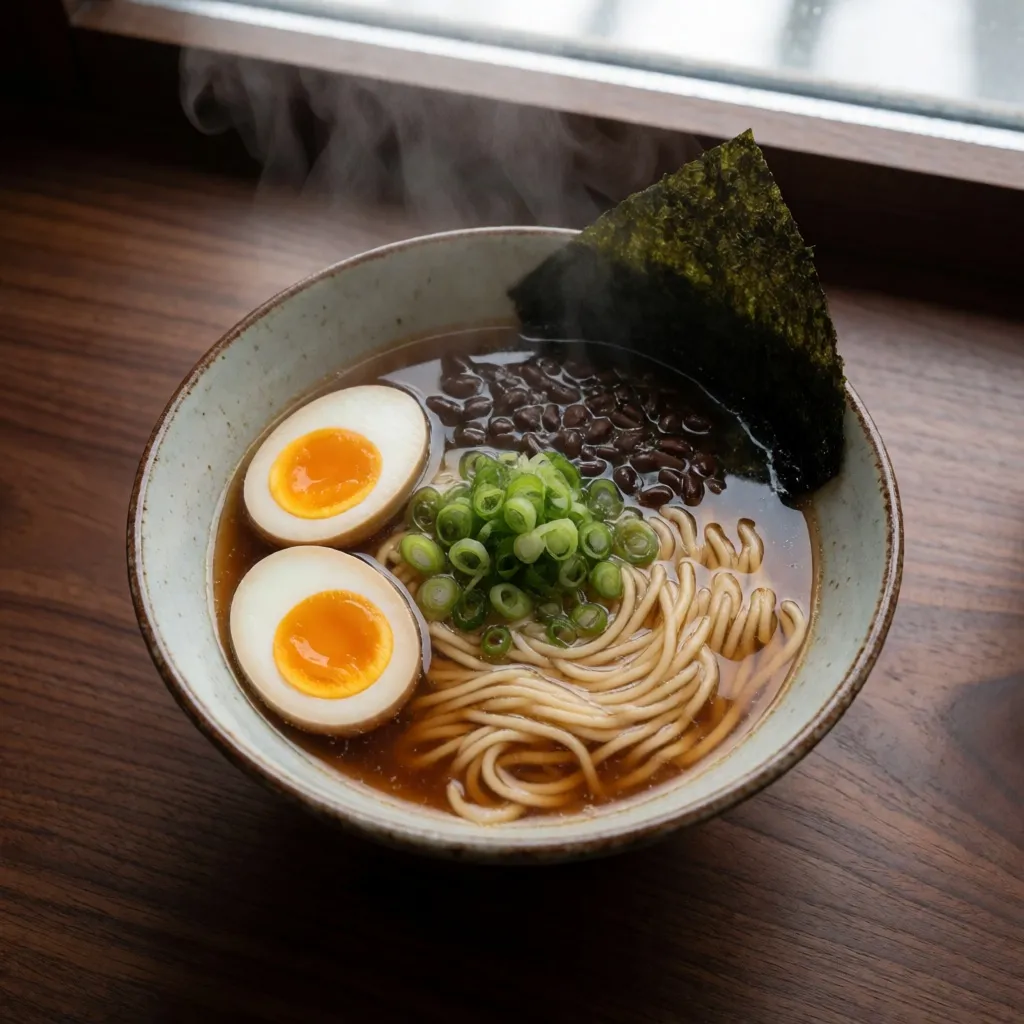
Krea 2 Turbo overhead photo of a bowl of miso ramen with soft-boiled egg and scallions on a walnut table

Food from above

Krea 2 Turbo prompt

Overhead photo of a ceramic bowl of miso ramen with a soft-boiled egg, scallions and nori on a dark walnut table, rising steam, natural window light

It plated two egg halves rather than one egg, which is how ramen is usually served anyway.

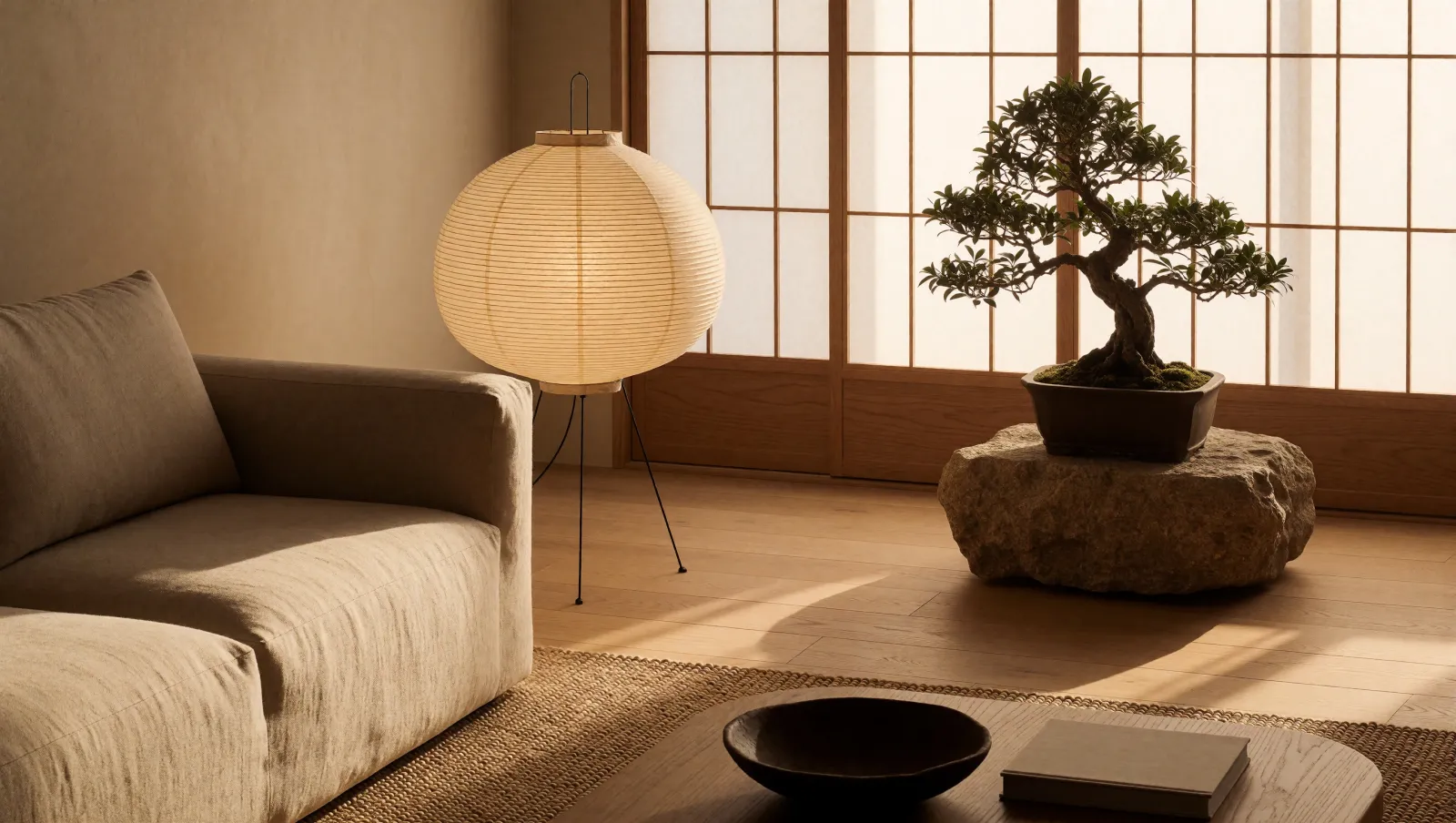
Krea 2 Turbo 2K interior photo of a Japandi living room with a linen sofa, paper lantern and bonsai

Interior at 2K

2K

Krea 2 Turbo prompt

Japandi living room with a low linen sofa, a paper lantern, pale oak floor and a bonsai on a stone plinth, late afternoon sun through shoji screens, interior photography

Rendered natively at 2720 × 1536 for 9 credits; shown here scaled down. Use 2K for finals and 1K for drafts.

Krea 2 Turbo image to image

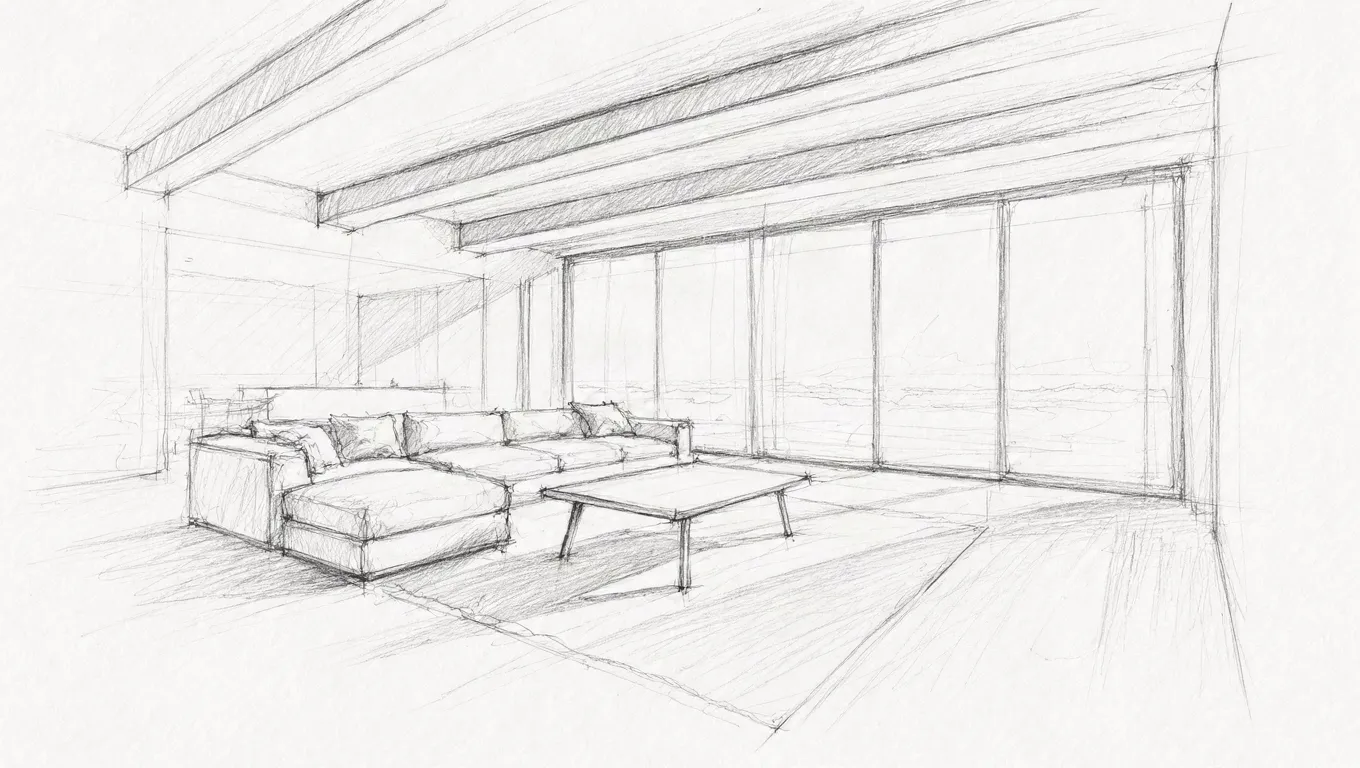
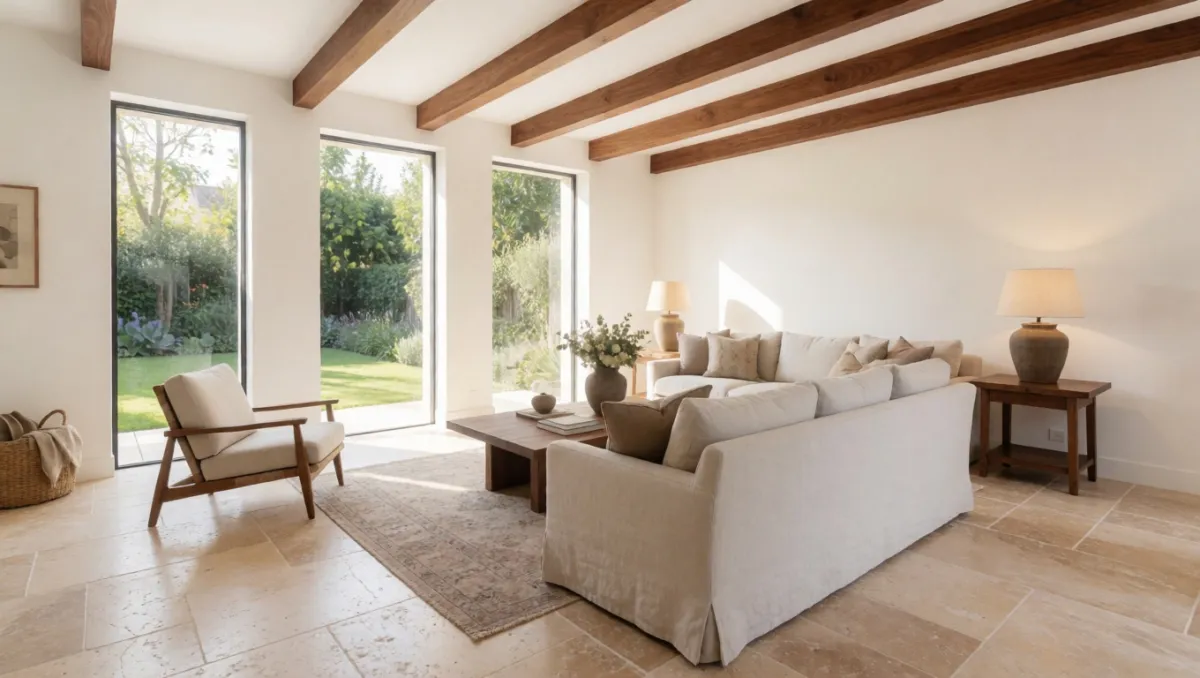
Add one image and Krea 2 Turbo repaints it to match your prompt. The layout and shape of the source carry over, while the surfaces, light and style follow the text. It costs the same as text to image. Describe the image you want as a whole, not just the change.

Pencil sketch of a living room with tall windows, a sofa and a table
Source
Krea 2 Turbo image to image result: the living room sketch turned into a photo with travertine floor and walnut beams
Result

Sketch to photo

Image to image

Krea 2 Turbo prompt

Photograph of a bright living room with travertine floor, walnut ceiling beams, an off-white linen sofa and a garden visible through tall windows, soft afternoon light

The windows, beams and furniture positions came from the sketch; the materials came from the prompt.

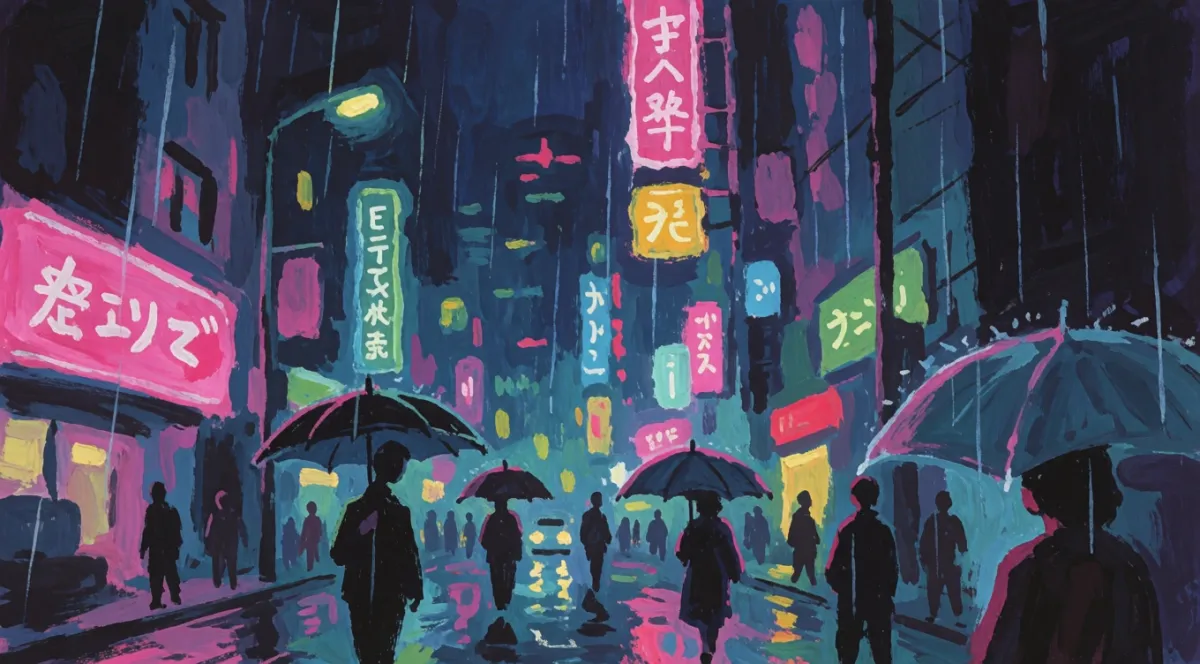
Rainy neon city street at night with pink and teal signs
Source
Krea 2 Turbo image to image result: the neon street photo repainted as a gouache illustration
Result

Photo to gouache

Image to image

Krea 2 Turbo prompt

Hand-painted gouache illustration of a rainy neon city street at night, visible brush strokes, magenta and teal glow, people walking with umbrellas

The street, the glow and the walkers stayed in place; the photo became brushwork. It also added umbrellas because the prompt asked.

Krea 2 Turbo compared with the other models here

Same prompt, one run each, no cherry-picking. Credits are what each run costs on this site.

Krea 2 Turbo vs Krea 2 Medium Turbo vs Krea 2 Large

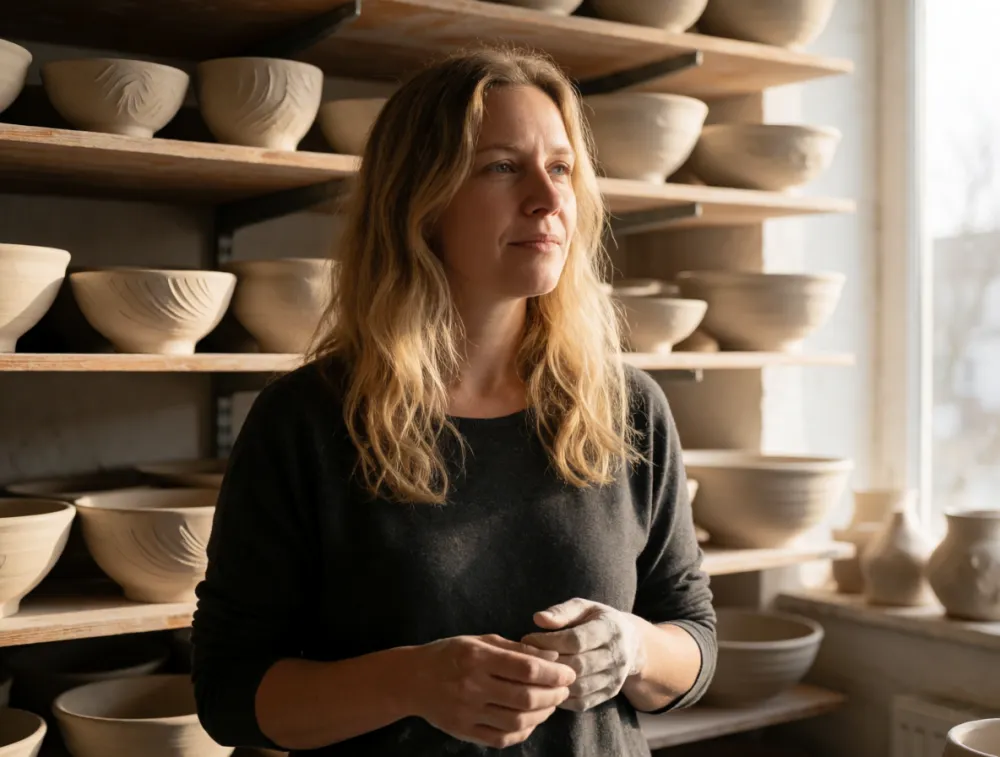
The Krea 2 model in this generator runs Krea's hosted Medium Turbo, Medium and Large tiers at about 1 MP. Krea 2 Turbo is the open checkpoint. Here is one documentary portrait prompt on three of them.

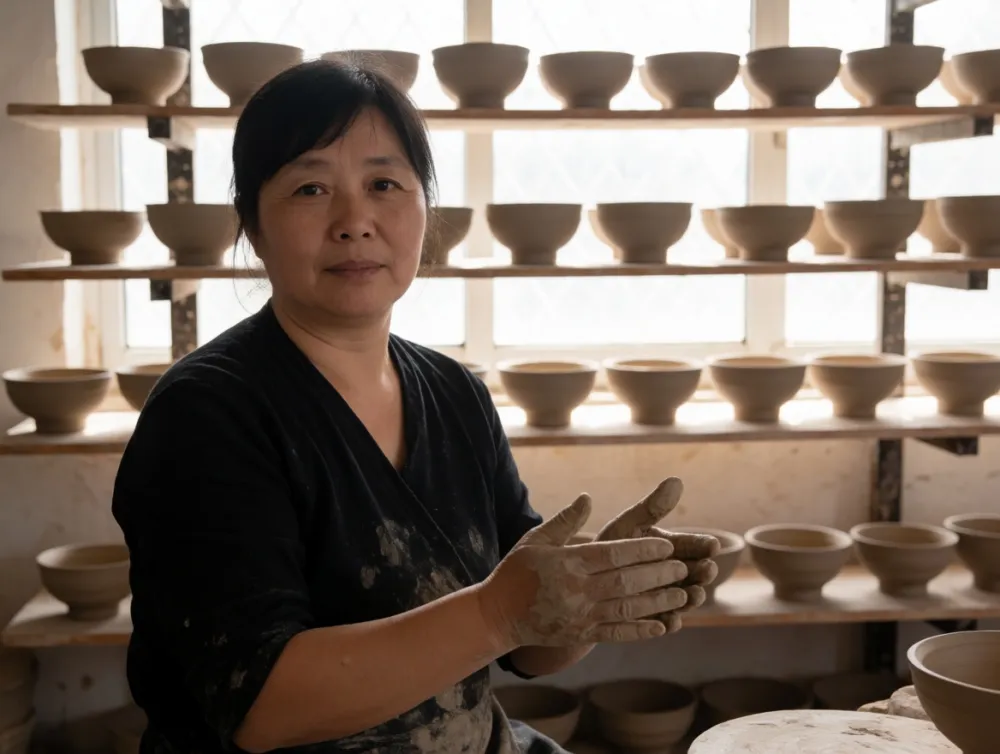
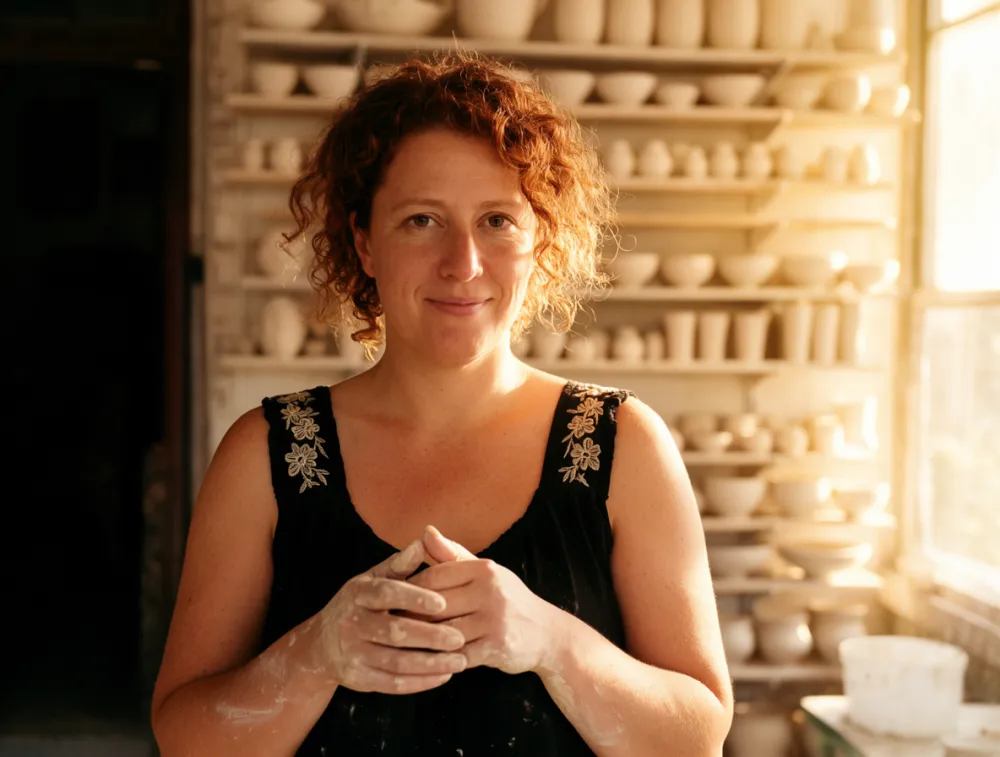
Portrait of a ceramicist in her sunlit studio, hands dusted with clay, shelves of unglazed bowls behind her, soft window light, documentary photography

Krea 2 Turbo result for the ceramicist portrait prompt

Krea 2 Turbo · 5 credits

Clay worked into both hands, a stained shirt and rows of bowls against the window: the most documentary of the three.

Krea 2 Medium Turbo result for the same ceramicist portrait prompt

Krea 2 Medium Turbo · 5 credits

Side light from the window and a candid look away from the camera; the clay on her hands is subtle.

Krea 2 Large result for the same ceramicist portrait prompt

Krea 2 Large · 15 credits

Warm golden light, clay on her hands and forearms, and bright shelves behind her. Three times the price.

Krea 2 Large still has the richest light. Krea 2 Turbo followed the "hands dusted with clay" detail most literally, costs a third of Large, and is the only Krea 2 option here with a 2K size.

Text in the image: Krea 2 Turbo vs Z-Image Turbo

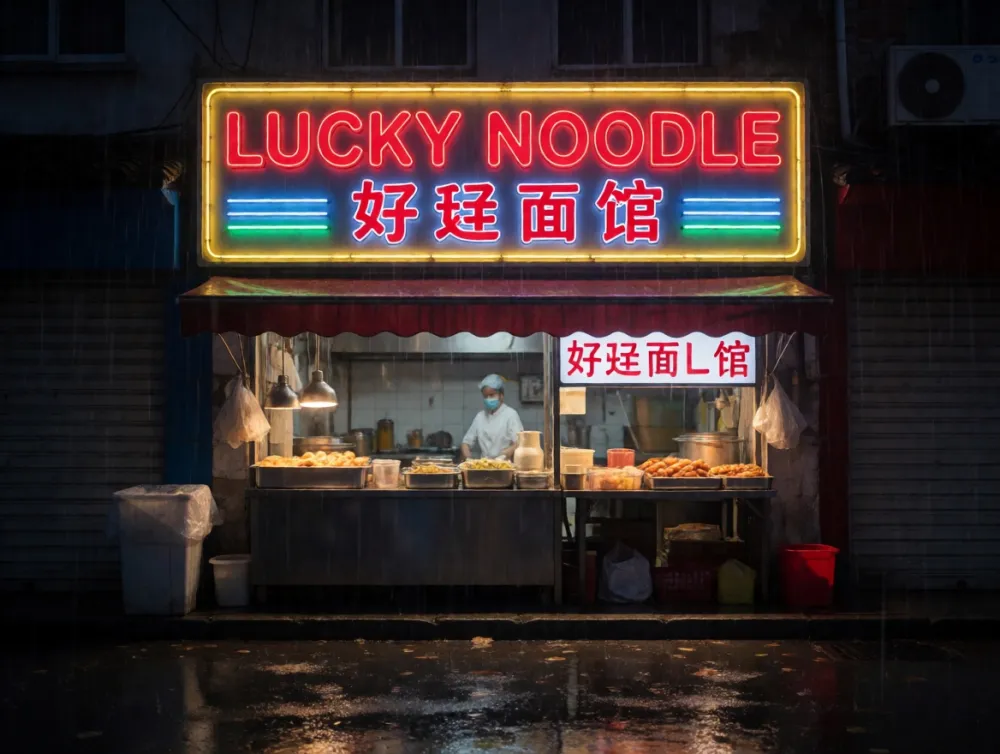
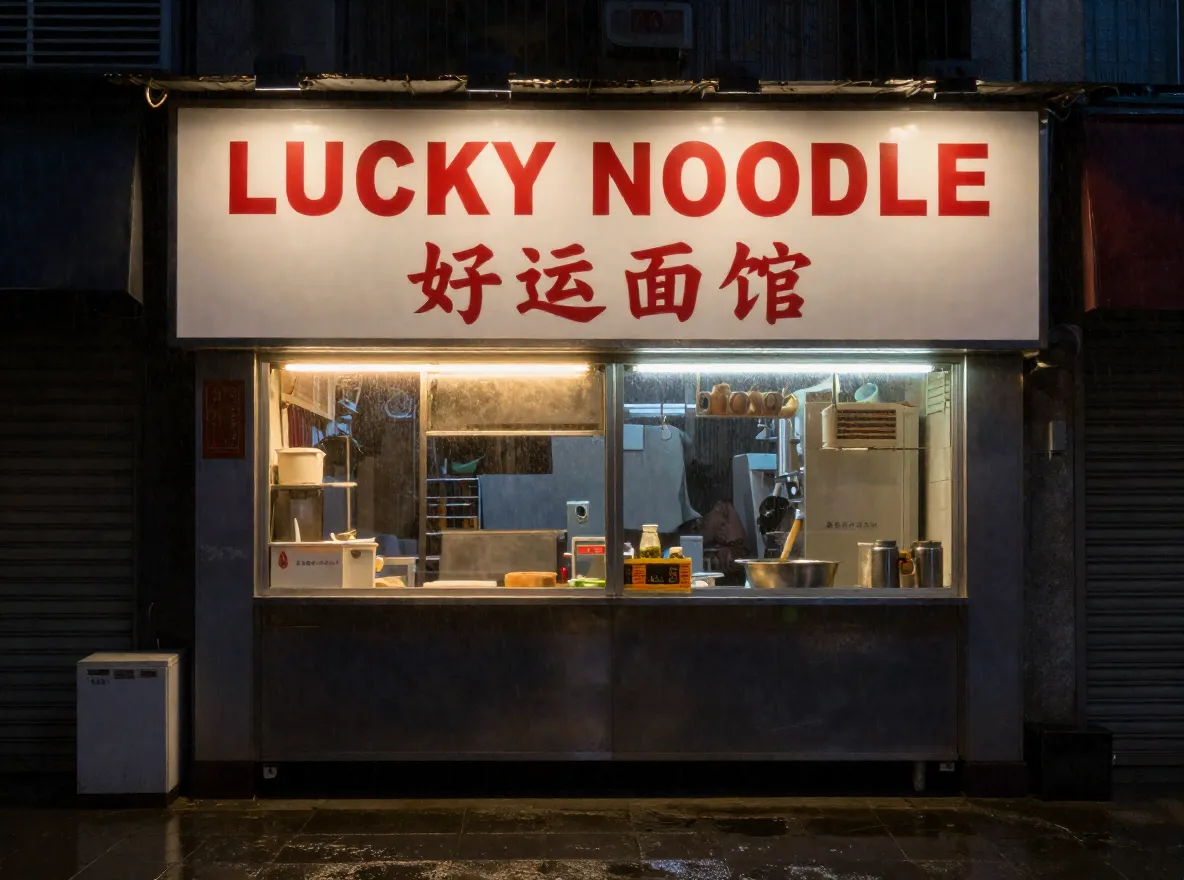
A sign with English and Chinese on it is a hard test for any image model. Both models got the same prompt.

A small street food stall at night with a glowing sign that reads "LUCKY NOODLE" in bold red English letters and the Chinese characters "好运面馆" underneath, neon tubes, wet pavement reflections, light rain, photorealistic

Krea 2 Turbo street stall sign: LUCKY NOODLE is correct, the Chinese line reads 好廷面馆

Krea 2 Turbo · 5 credits

LUCKY NOODLE is right. The Chinese line reads 好廷面馆, with the wrong second character, and a second garbled sign appeared.

Z-Image Turbo street stall sign reading LUCKY NOODLE with the Chinese characters 好运面馆

Z-Image Turbo · 2 credits

Both lines are correct, including 好运面馆, on a cleaner and more literal stall front.

Krea 2 Turbo handles short English text well. For Chinese characters, use Z-Image Turbo.

How to use Krea 2 Turbo online

  1. 01

    Write a full prompt

    Describe the subject, the setting, the light and the medium in plain sentences. Put any words that should appear in the image in quotes.

  2. 02

    Pick a ratio and a size, or add a photo

    Choose one of 7 ratios and 1K (5 credits) or 2K (9 credits). Add one image to run image to image instead; the result keeps that image's shape.

  3. 03

    Generate and download

    Results land in the generator in seconds and stay in your history, where you can download them or send them back into the generator.

Krea 2 Turbo prompt tips

What worked in the runs above, and what did not.

  1. 1

    Write sentences, not tag lists

    Krea's technical report says dense prompts reliably give better results, and the model was trained on long natural captions. Describe the picture the way you would brief a photographer.

  2. 2

    Name the medium and the light

    Words like 35mm film grain, gouache, cel shading or hard light from the left changed the look more than adjectives like beautiful or stunning.

  3. 3

    Keep in-image text short and in quotes

    OPEN STUDIO and SAT 14 DEC came out right. Long sentences and Chinese characters are less reliable; Z-Image Turbo is the better pick for Chinese text.

  4. 4

    Ask for what you do not want

    No text, no logo kept the perfume bottle clean. Small details such as license plates can still slip through, so check before you publish.

  5. 5

    Draft at 1K, finish at 2K

    A 1K draft costs 5 credits and the 2K version 9. Settle the prompt at 1K first, then run the keeper at 2K.

  6. 6

    For image to image, describe the whole result

    The layout comes from your photo and everything else from the prompt, so write the prompt for the finished image, not "make it a painting".

Krea 2 Turbo pricing

Credits are taken when a run starts and refunded if it fails. New accounts get one free image.

RunCredits
Text to image, 1KAbout 1 MP, e.g. 1360 × 768 at 16:95
Text to image, 2KAbout 4 MP, e.g. 2720 × 1536 at 16:99
Image to image, 1KOne source image, no extra charge5
Image to image, 2KOne source image, no extra charge9

Krea 2 Turbo FAQ

What is Krea 2 Turbo?
Krea 2 Turbo is the fast checkpoint of Krea 2, Krea's open-weights image model released on June 22, 2026. It is a 12B diffusion transformer distilled to 8 steps, built for aesthetic text to image. You can run Krea 2 Turbo online on this page or download the weights from Hugging Face under the Krea 2 Community License.
What is the difference between Krea 2 Raw and Krea 2 Turbo?
Krea 2 Raw is the undistilled base checkpoint: more diverse and easier to fine-tune, and meant for research, post-training and LoRA training. Krea 2 Turbo is the post-trained, 8-step distilled checkpoint for final images. Krea recommends training LoRAs on Raw and running them on Turbo.
Can I use my own Krea 2 Turbo LoRA here?
Not yet. This generator runs the base Krea 2 Turbo checkpoint without custom LoRAs. To use a LoRA trained on Krea 2 Raw, run the open weights yourself, for example in ComfyUI.
Is Krea 2 Turbo open source and free?
The weights are open: anyone who accepts the Krea 2 Community License on Hugging Face can download them, and running a 12B model locally needs a capable GPU. On this site there is nothing to install. Each Krea 2 Turbo image costs credits, and new accounts get one free image.
How is Krea 2 Turbo different from the Krea 2 model in this generator?
The Krea 2 option runs Krea's hosted Medium Turbo, Medium and Large tiers at about 1 MP and accepts up to 5 style references. Krea 2 Turbo is the open checkpoint: it adds a 2K size and image to image from one source photo, at 5 credits per 1K image.
Does Krea 2 Turbo work in ComfyUI?
Yes. Krea lists ComfyUI as an open-source partner, and the weights also run with diffusers and SGLang. On this site you do not need ComfyUI: Krea 2 Turbo runs in the browser.
Can I use Krea 2 Turbo images commercially?
Krea's model card says Krea does not claim copyright over images generated with the model. Images you make here are covered by this site's terms. If you run the weights yourself, the Krea 2 Community License applies.
Which sizes and ratios does Krea 2 Turbo support here?
1K or 2K, in 1:1, 4:3, 3:4, 3:2, 2:3, 16:9 and 9:16. With a source image, the result keeps the shape of that image instead.

Generate with Krea 2 Turbo

Start from any Krea 2 Turbo prompt above or a blank box. New accounts get one free image.